A new site. An informed starting point.
AI website redesign from your existing URL
Turn an authorized public website into the starting point for a new business site. PolyDraft researches, plans, writes and builds—while you confirm the facts and review the result. This is a rebuild, not a private-backend migration.
Full build free to preview · subscription required to publish · your approval before launch
01 / Scope before speed
A URL is a source, not a migration package.
An AI website redesign tool should make its boundaries visible. PolyDraft can read accessible public material and use confirmed facts to create a new site. It cannot infer every hidden dependency from a homepage. Keep the current site available while you inspect the replacement.
| Source or requirement | Rebuild scope | Your responsibility |
|---|---|---|
| Public business facts | A starting point for the brief: services, products, audiences and contact information. | Confirm what is current. Remove outdated claims before the build. |
| Public copy and approved media | Source material to review and rebuild into new pages. | Supply missing pages and confirm rights to reuse text and images. Public access is not permission. |
| Design and page structure | A new design direction, researched page plan and original copy. | Approve what to retain, rewrite or retire. This is not a pixel-perfect clone. |
| URLs and search metadata | Items to audit and reconstruct in the new project. | Confirm slugs, canonical URLs, redirect destinations, metadata, schema and language relationships. |
| Private systems and records | Outside the public-URL rebuild. | Databases, plugins, orders, account records, private drafts and backend workflows do not move with a URL. |
If the source is WordPress, use the WordPress-specific rebuild guide to review plugin, commerce and private-content limits. The same distinction applies: public information can inform new pages; a working application needs a separate technical assessment.
02 / Reviewable stages
From an existing URL to a website you can approve.
- 01
Authorize and explain
Provide a public URL you own or have permission to use. Tell the agent why the current site needs to change and which pages or journeys matter.
- 02
Confirm the source of truth
Review extracted facts and add corrections, missing products and approved media. An accessible page is input—not proof that its claims are still accurate.
- 03
Research and rebuild
The agent researches the market, proposes a page plan, writes original copy and builds the site. Review the plan; do not add separate pages for every keyword variation.
- 04
Review before replacing
Inspect the complete preview, test inquiries and approve URL decisions. Subscribe to publish, then authorize deployment to your own cloud account.
The AI website builder from URL workflow is not an automatic replacement of your live site. You decide when the new version is ready. For the full sequence, see how the build works.
03 / Inspectable product evidence
Confirm facts before they become copy.
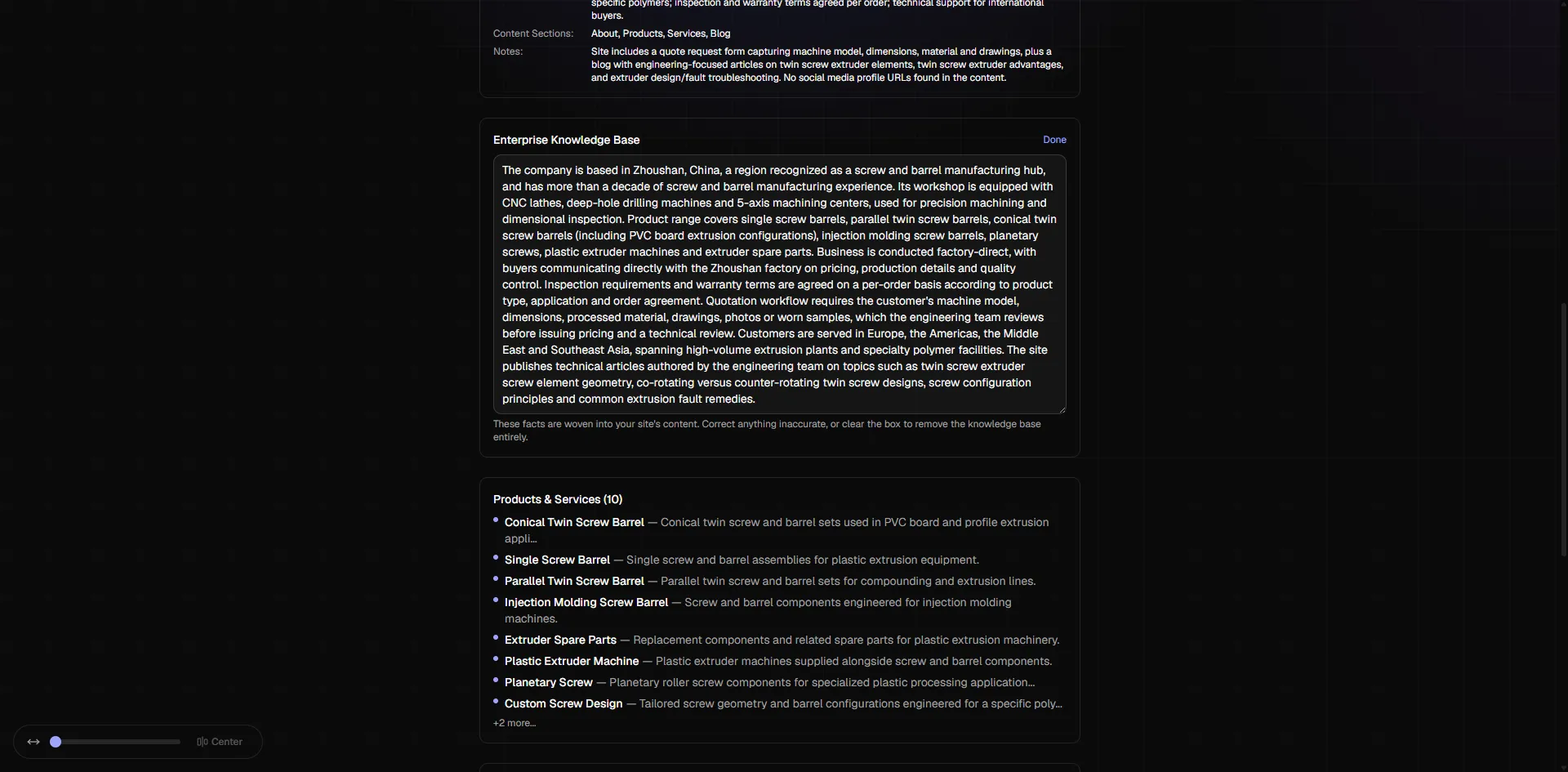
The knowledge-base review makes business information visible before it guides page content. Correct outdated offers, flag unsupported claims and supply real product photos. Research should inform structure and wording—not invent business proof.
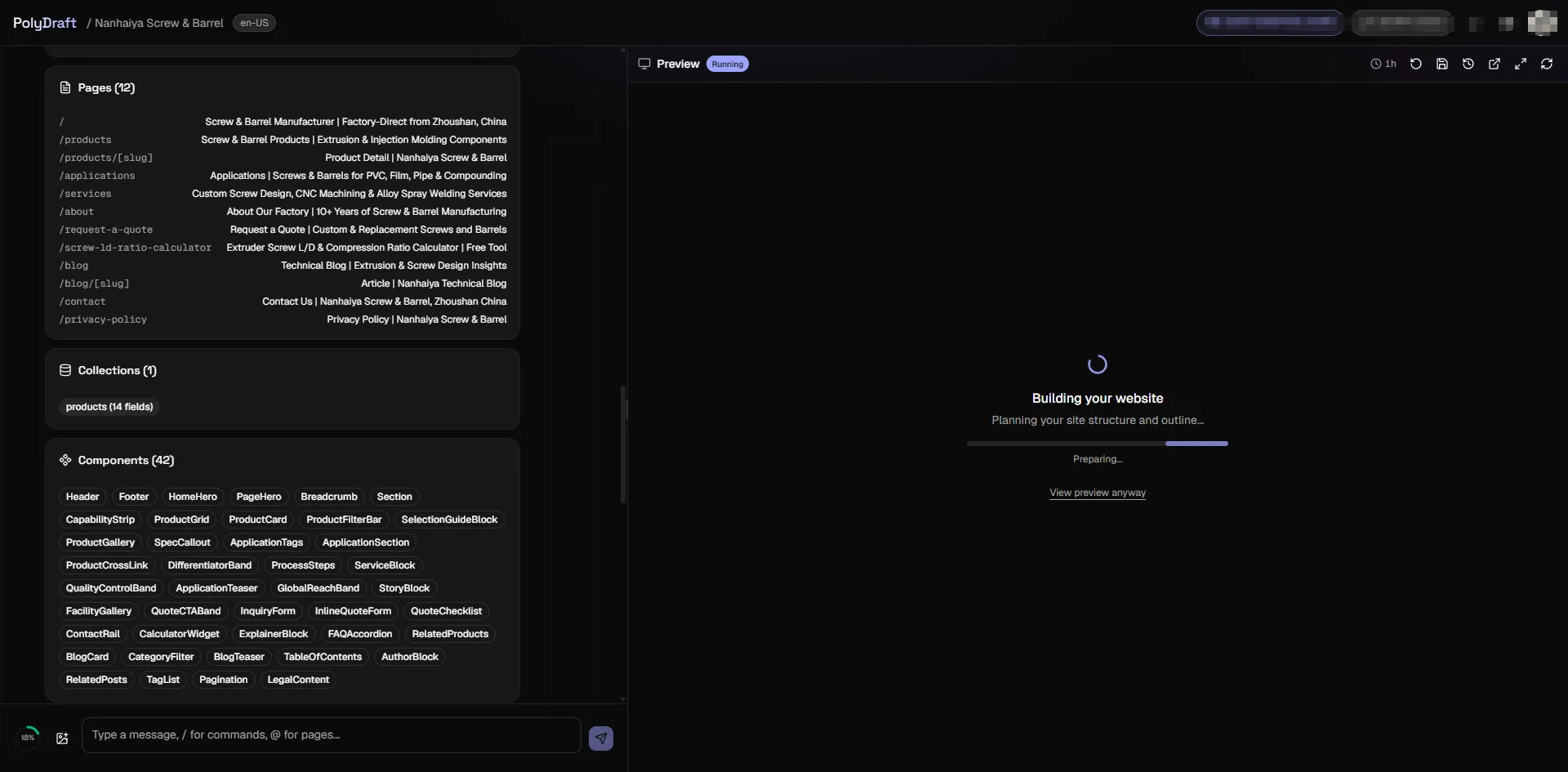
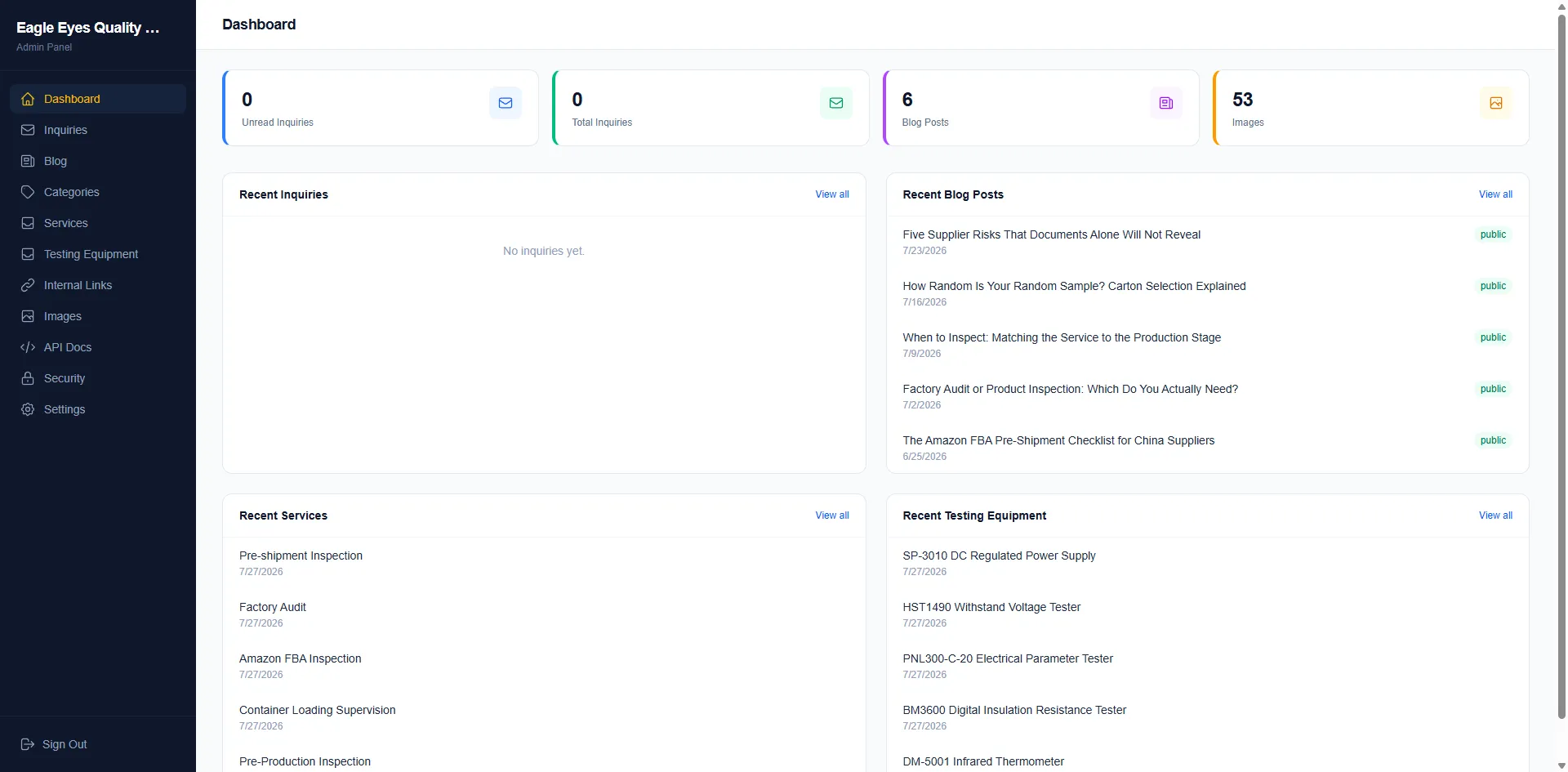
These are real product-interface captures from supplied materials. They demonstrate review and operation, not a measured before-and-after redesign or a promise of search uplift.
04 / Beyond a new coat of paint
Rebuild the content and operating foundation.
Research with a page purpose
Live search demand informs the page plan. Each page answers a distinct task rather than becoming a near-duplicate for another keyword. Explore the SEO website builder features for the technical inventory.
A site you can manage
The blog CMS, image library, lead inbox and internal-link manager support owner-led operation. Market expansion can use transcreation and language annotations within your plan limits.
Defined ownership
Publish to your own cloud account. Agency includes full source-code export; live data, media and service access are separate handover concerns. Review export and deployment scope and plan entitlements.
This is a fit for public marketing and lead-generation websites. If your key requirement is moving an online store, member database or private application unchanged, resolve that scope first. No platform hosting fee means no PolyDraft hosting charge—not free domains or unlimited third-party infrastructure.
05 / Before the switch
Treat search continuity as a release decision.
A redesigned website can change URLs, content and customer journeys. Agree which pages stay, move, merge or retire; verify the implemented result. Our website redesign SEO checklist includes a URL decision map, expected-versus-actual checks and signoff worksheets. It is an editorial resource, not a claimed automatic audit. No checklist guarantees unchanged rankings or AI citations.
Discuss a complex rebuild scope before replacing a business-critical workflow.
Questions before a rebuild
Can AI redesign my existing website?
Yes. PolyDraft can use an authorized public URL and your confirmed business facts to build a new website. You review the design and copy. Private databases, plugins, order records and account systems are outside this rebuild.
How do I redesign a website using AI?
Start with an authorized source URL and a clear brief. Confirm extracted facts, review the proposed pages and design, inspect the full preview, and test important URLs and customer actions before authorizing publication.
Can I preview the redesigned site for free?
Yes. The full build and live preview are free to start; a subscription is required to publish. Agency plans include full source-code export. Check pricing for current plan allowances and credits.
Will a redesign preserve my rankings?
No builder can promise unchanged rankings. Review useful content, incoming links, URL decisions, redirects, canonicals and indexability before launch, then monitor the released site. Technical readiness is not a search-performance guarantee.
Keep the business knowledge. Rethink the website.
Start from your brief or authorized URL. Inspect the full preview free; subscribe when you are ready to publish.