In this article
- 01 One-page website or single-page application?
- 02 How Google sees a one-page site
- 03 How to optimize a one-page website
- 04 When one page is the right choice
- 05 When to split: the three-question test
- 06 How to split a one-page site without losing what works
- 07 A one-page site in AI answers
- 08 Where PolyDraft fits
- 09 Frequently asked questions
- 10 Continue with the next task
- 11 Sources
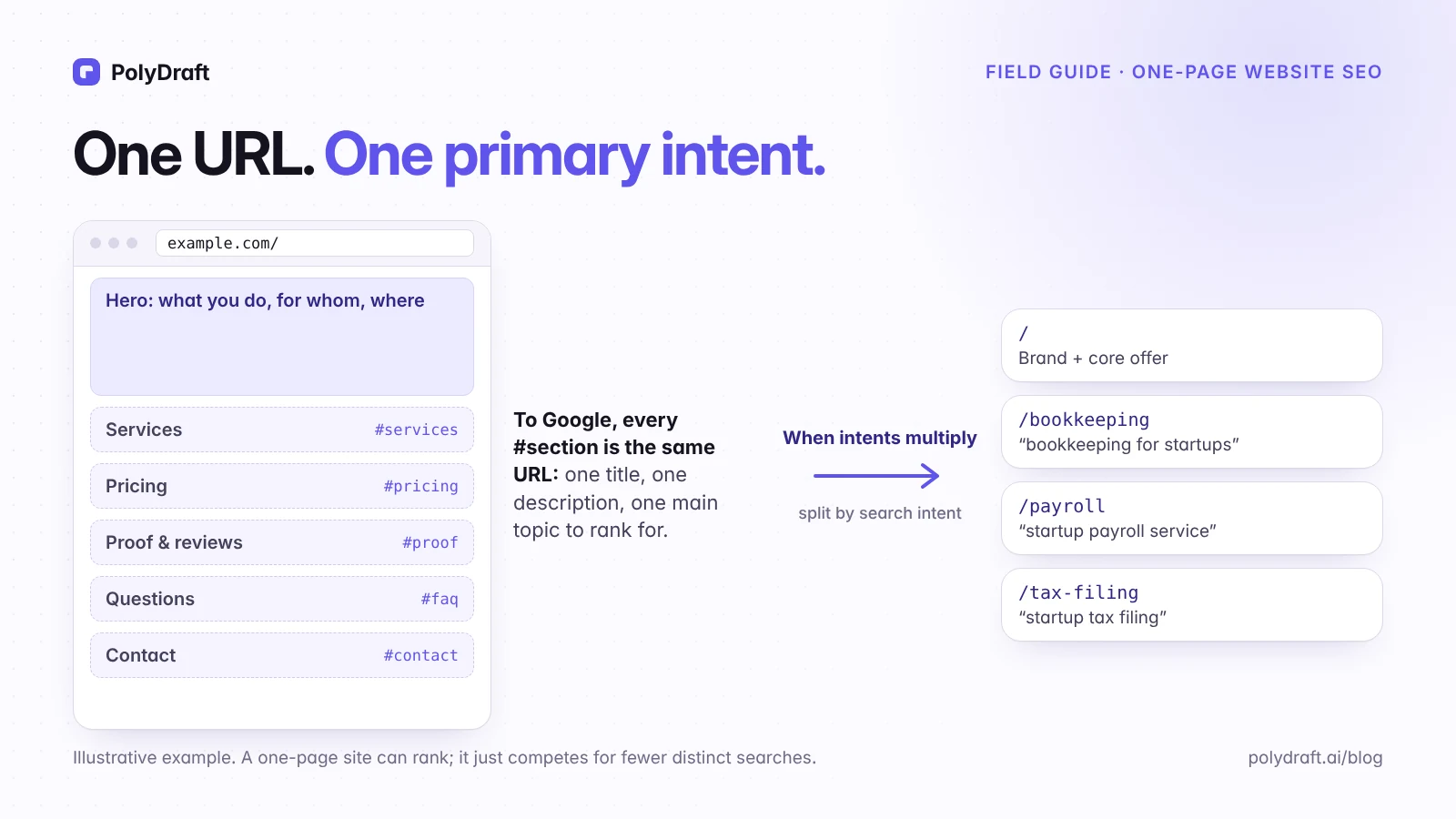
A one-page website can rank in Google, but mostly for one main search need. Google ranks URLs, and every section of a one-page site shares the same URL. That means one title, one description, and one main topic. A single page works well for a focused offer, a portfolio, an event, or an early launch. It stops being enough when people search for several distinct things you offer and the results for those searches are dedicated pages.
This guide covers what a one-page site should contain, how to optimize it, a three-question test for when to split it, and how to add pages without losing what already works.
Key points
#sectionsare not separate pages to Google. The whole page ranks as one URL.- Write the page's title and main heading for the one intent that matters most, and give every other section a clear job.
- Keep the long page fast on a phone: one-page sites tend to collect heavy media.
- Split a topic out when it's a distinct search, the results show dedicated pages, and a short section can't answer it.
- When you split, keep the homepage URL and its links. Fragments never reach the server, so they can't get a server-side redirect.
One-page website or single-page application?
The two terms get mixed up, and the SEO advice differs.
- A one-page website puts all of its content on one URL. Navigation jumps to sections with anchor links such as
example.com/#pricing. - A single-page application (SPA) is a way of building a site with JavaScript. An SPA can have many real URLs, such as
example.com/pricing, if it uses the browser's History API and each URL renders its own content.
If an SPA changes content using hash routes such as example.com/#/pricing, it has the same limitation as a one-page site. Google's URL guidance says not to "use fragments to change the content of a page, as Google Search generally doesn't support URL fragments."
How Google sees a one-page site
On a one-page site:
- Every section shares one URL.
#servicesand#pricingaren't indexed as separate pages, so your page-level data in Search Console covers the whole site at once. - There is one title and one meta description for the whole site. Your title has to choose a focus.
- The page can still rank for related queries when its text covers them well. Google's passage ranking system can recognize a strong section inside a long page, but the whole page is still what ranks, with one title and one set of links behind it.
- It can't compete well for distinct needs when the results for those queries are dedicated pages. A section about payroll on a bookkeeping homepage is up against whole pages about payroll.
That's why a one-page site isn't "bad for SEO." It has a narrower scope. Whether that matters depends on how many distinct things your customers search for.
| One-page site | Multi-page site | |
|---|---|---|
| URLs that can rank | One | One per page |
| Titles and descriptions | One for everything | One per page, each written for its search |
| Searches it can compete for | One main intent and close variations | One main intent per page |
| Where links point | All to one URL | Spread across pages, joined by internal links |
| Search Console data | One page; topics only separable by query | Per page and per query |
| Upkeep | One page to keep current | More pages, more to maintain |
| Best fit | One offer, one audience, early launches, events, portfolios | Several services, locations, or audiences |
How to optimize a one-page website
What a one-page site should include
Give each section one job and a few related searches it answers. The page's title and H1 go to the main search, and each section supports it. Here's how that could look for an illustrative startup bookkeeping firm in Austin:
| Section | Its job | Searches it supports (examples) | What it needs |
|---|---|---|---|
| Hero (H1) | Say what you do, for whom, and where | startup bookkeeping austin | The offer, the audience, the area, and one clear call to action |
| Services | Explain each service in two to four sentences | bookkeeping for startups, payroll for small business | One H2 or H3 per service, with plain names customers use |
| Prices | Answer the cost question | bookkeeping cost | Real numbers or ranges as text, and what's included |
| Process | Show how working together goes | how bookkeeping onboarding works | Three to five steps and a realistic timeline |
| Proof | Show why to trust you | your brand name plus reviews | Reviews, credentials, named clients or examples you have permission to use |
| Questions | Answer what customers actually ask | bookkeeping questions | Four to six real questions, each answered in a self-contained paragraph |
| Contact | Make the next step easy | your brand name plus contact | Name, address, and phone matching your Business Profile, plus a form |
Eight optimization steps
- Choose the primary intent and write the title for it. For example: "Startup Bookkeeping in Austin | Your Brand". Mention secondary services in the copy, not in a crowded title.
- Use one main heading and descriptive section headings. "Bookkeeping prices" tells people and search engines what a section covers. "Let's talk numbers" doesn't. Some guides suggest an H1 for every section on the theory that sections behave like separate pages. They don't. Google's SEO Starter Guide says heading order isn't something to worry about for Search, so use one H1 because it states the page's topic clearly for people and screen readers.
- Put the important text in HTML. Text baked into images, sliders, or canvas animations is hard or impossible for search engines to read. Google doesn't index CSS background images, so meaningful images belong in
<img>tags with descriptive alt text. - Make navigation real links. Use
<a href="#pricing">for the section menu. It helps visitors, even though fragments won't rank on their own. - Make sure core content is in the page before anyone clicks. Accordions and tabs are fine when their text is already in the HTML and only visually collapsed. The risk is content fetched only after a click, a tab change, or a scroll, because Google's crawler doesn't click the way a visitor does. Google's lazy-loading guidance asks that content load when it becomes visible in the viewport. To check, open URL Inspection in Search Console, run a live test, and confirm the text appears in the rendered HTML.
- Keep the long page fast on a phone. Google indexes the mobile version of your site, and one-page sites tend to collect hero videos, sliders, and scroll animations. Test the page in PageSpeed Insights and aim for Google's "good" Core Web Vitals: Largest Contentful Paint of 2.5 seconds or less, Interaction to Next Paint of 200 milliseconds or less, and Cumulative Layout Shift of 0.1 or less, measured on real visits at the 75th percentile. If PageSpeed Insights has no field data for your page yet, use its lab results as a guide. Compress images, give every image a width and height, lazy-load images further down the page, and never lazy-load the first large image visitors see.
- Add structured data that matches the page.
OrganizationorLocalBusinessmarkup should use the same name, address, and phone number visitors can see. - Earn links deliberately. Every link points at your one URL, but a one-page site also gives people fewer reasons to link. Start with directories and associations you genuinely belong to, your chamber of commerce, partner and supplier pages, event or sponsorship listings, podcast and guest appearances, and mentions of your name that don't link yet. A genuinely useful section, such as a clear table of prices, is also something others can cite.
When one page is the right choice
- You're launching and still testing positioning.
- You sell one product or one service to one audience.
- Most visitors arrive by your name, referrals, or ads rather than generic searches.
- It's a portfolio, an event, a campaign, or a personal site.
- You're a local business and most discovery happens through Google Maps and your Business Profile. Google says local results depend mainly on relevance, distance, and prominence, and that your position in regular web results also counts toward prominence. A complete, accurate profile is the part you control most directly, and your one page supports it. If you have several physical locations, each profile should link to its own location page, which a single page can't provide.
When to split: the three-question test
Run each topic you'd like to be found for through these questions.
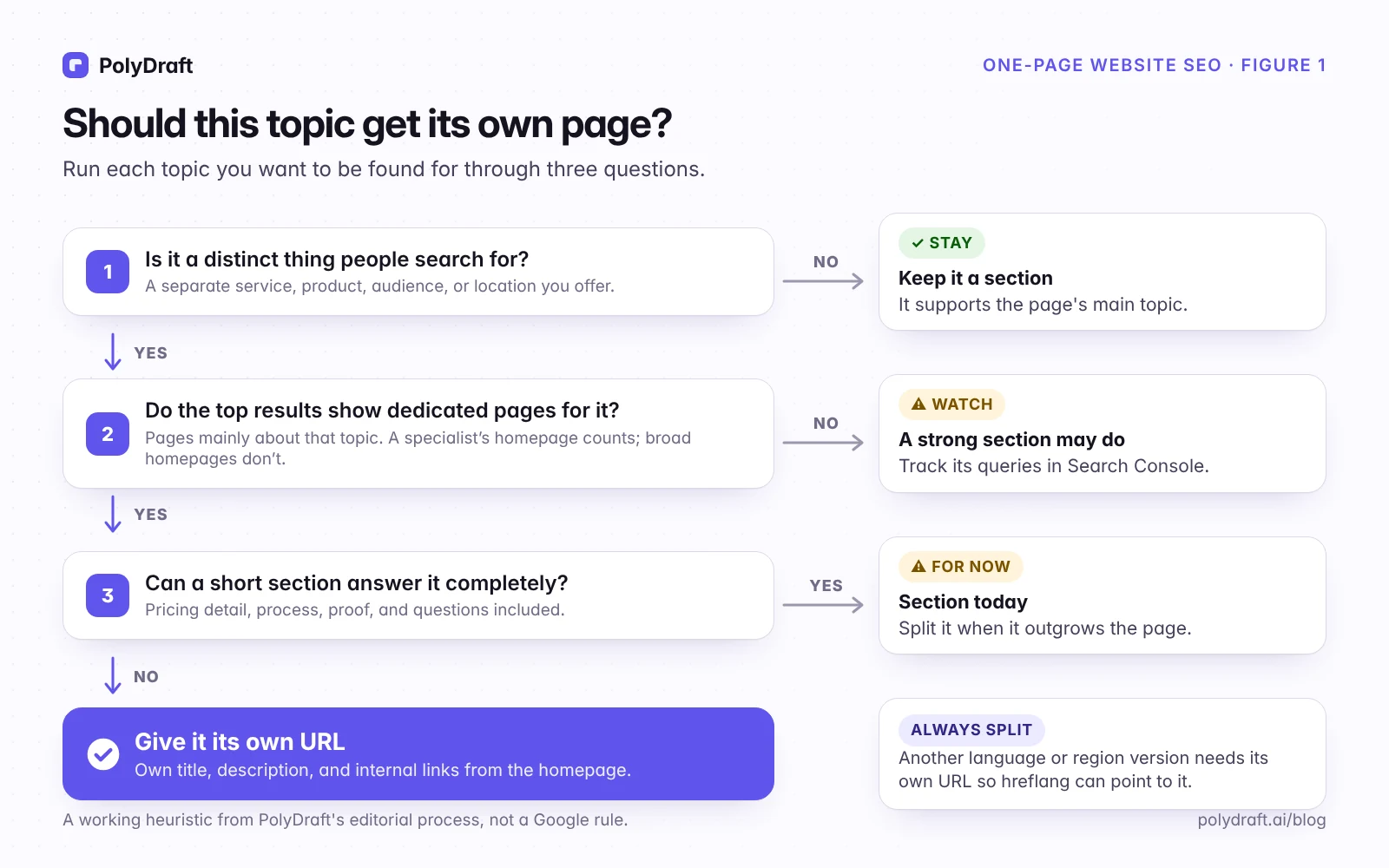
- Is it a distinct thing people search for? That could be a separate service, product, audience, or location. If not, keep it as a section that supports the main topic.
- Do the top results show dedicated pages for it? Search the query from the area your customers search from, or add the city to the query, because local results change with location. Look at the top 10 and ask whether each result is mainly about this one topic. A specialist's homepage counts if the whole business is about it. If most results are directories or broad homepages that mention the topic among other things, a strong section may be enough, so track the query in Search Console. If most are pages devoted to the topic, you're competing against depth. Note the date you checked, because results change.
- Can a short section answer it completely? Price details, a process explanation, proof, and the common questions all add up. If the honest answer is no, the topic needs its own URL.
One case skips the test: if you publish another language, or a regional version that genuinely differs, give it its own URL. Google recommends separate URLs per language, and hreflang annotations can only point between distinct URLs. Our guide to translating a website without breaking its search setup explains why.
Search Console can show you when a topic is ready. In the Performance report, add a Query filter, choose Custom (regex), and enter the words for one topic, such as payroll|paycheck|w-2. Set the date range to the last three months. If those queries earn steady impressions but sit at a much lower average position than your main queries, that suggests Google sees the page as related to the topic but not the best answer for it. Treat that as a candidate for its own page, then run it through the three questions. Search Console hides queries that only a few people searched, and a Query filter leaves them out entirely, so a topic that barely shows up isn't proof of no demand. This matters most on small sites.
How to split a one-page site without losing what works
- Keep the homepage URL. It holds your links and history.
- Create one new URL per topic that passed the test. Move the in-depth content there, with its own title, description, and main heading.
- Leave a summary section on the homepage that links to the new page with descriptive anchor text, such as "See our payroll service." Avoid "Learn more."
- Keep the old section IDs. Browsers don't send fragments to the server, so
#payrollcan't get a 301. Old links and bookmarks toexample.com/#payrollwill still open the homepage. Keeping apayrollsection there with a link onward keeps them useful. If you'd rather send those visitors straight to the new page, a few lines of JavaScript can read the fragment and forward them. - Update the sitemap and navigation, then check the new pages with URL Inspection.
- Watch the handoff. Over the following weeks, impressions for the moved topic should start to appear on the new URL. Compare the same weekdays before and after.
- If the homepage keeps ranking for the moved topic after several weeks, shorten the homepage summary to two or three sentences, make sure the new page's title and H1 name the topic and the homepage's don't, and link to the new page wherever the topic comes up.
A one-page site in AI answers
Google says AI Overviews and AI Mode have "no additional requirements": a page must be indexed and eligible to show a snippet. On a one-page site, that page is the only one an AI answer can cite, so the questions you want to be cited for need a clear answer somewhere on it. Open each section with one self-contained sentence that answers its question directly, such as "Bookkeeping for startups in Austin starts at $X per month and includes...", so a system that quotes one passage gets a complete answer. Keep names, prices, and hours identical everywhere they appear.
Where PolyDraft fits
PolyDraft builds multi-page websites, so you can start with a homepage-centered site and add pages when the test says a topic has earned one. The site scaffold includes an XML sitemap and canonical tags. After you add a page, confirm it appears in the sitemap and passes URL Inspection, whichever tool built it. Small businesses weighing their options can see how we approach this on PolyDraft for small business.
Frequently asked questions
Are one-page websites bad for SEO?
No, but their scope is narrow. A one-page site competes for one main search need and its close variations. It struggles when customers search for several distinct things you offer.
Can a one-page website rank for multiple keywords?
Yes, for keywords that share the page's main intent, such as your brand, your core service, and its variations. Distinct services or locations usually need their own pages to compete.
Do anchor links or #sections get indexed separately?
No. Google generally doesn't support URL fragments for distinct content, so Google treats example.com/#pricing as part of example.com/. Google can recognize a strong section, but the page ranks as one URL.
Should a one-page site use multiple H1 tags?
Use one H1 for the page's main topic and H2s for sections. Multiple H1s won't get you penalized, but one clear H1 states the topic plainly for people and screen readers, and sections don't rank separately anyway.
Is a one-page website good enough for a local business?
Often, yes, for a single location. Local map results depend mainly on relevance, distance, and prominence, and a complete Business Profile with consistent contact details is the part you control most directly. Add pages when you add services, or separate locations, that people search for on their own.
How do I add pages to a one-page site without hurting SEO?
Keep the homepage URL, move in-depth content for each qualifying topic to its own new URL, link to it from a summary section on the homepage, and keep the old section IDs so existing anchor links still work.
Continue with the next task
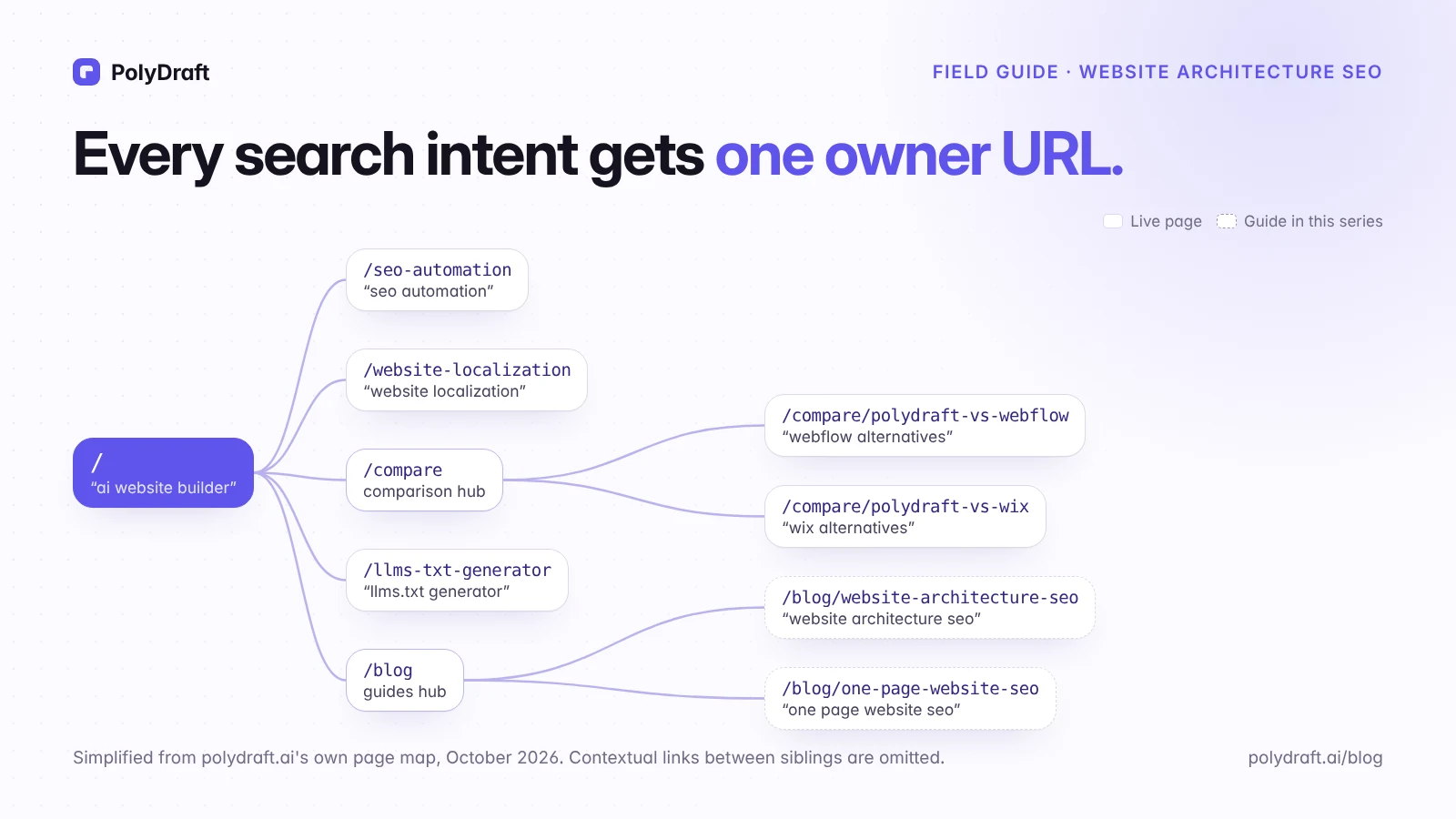
- Mapping topics to URLs as you grow: Website architecture for SEO
- Launching your first site: SEO for a new website
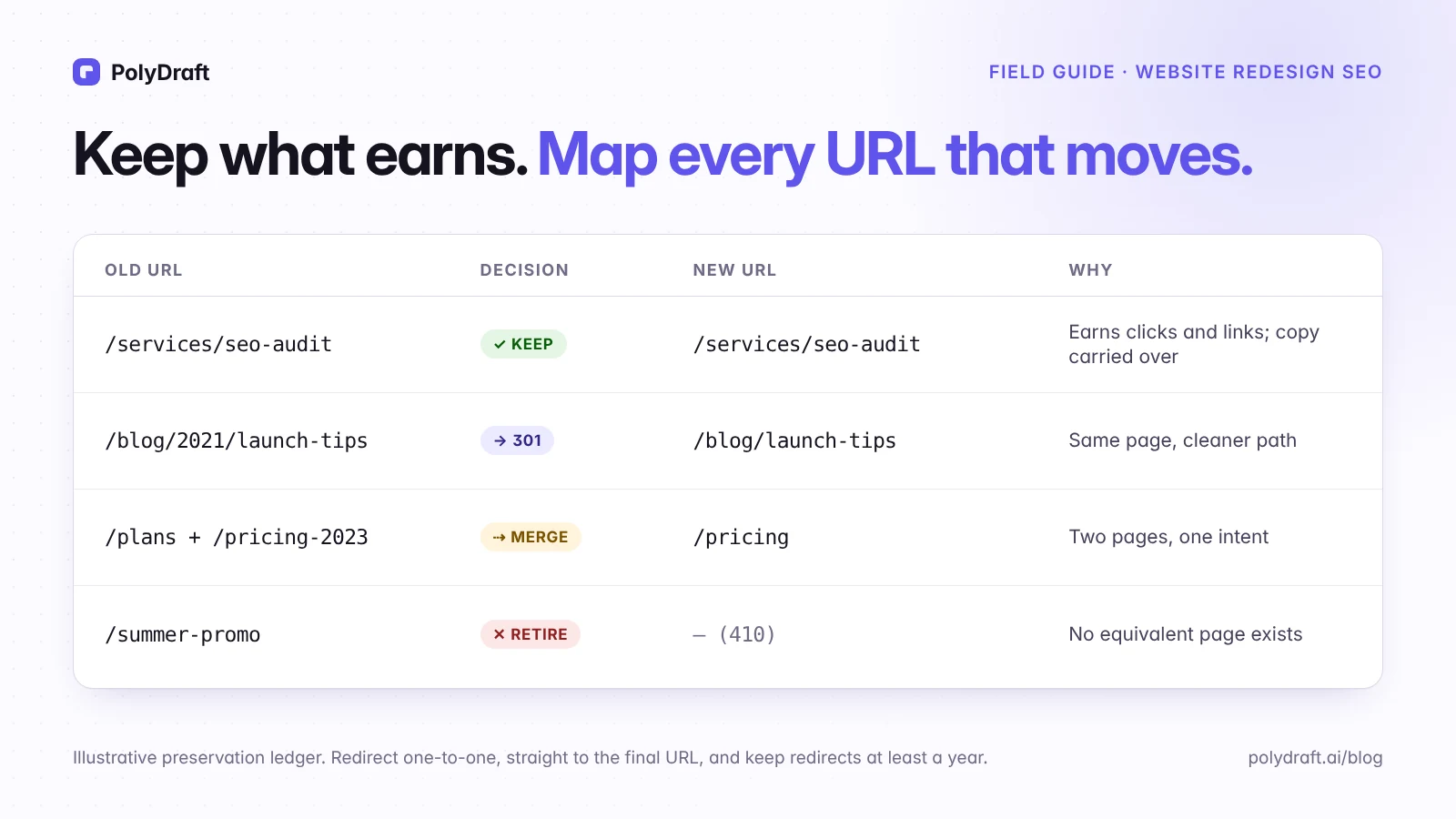
- Restructuring a site that already ranks: Website redesign SEO checklist
About this article. Drafted with AI assistance, checked against the sources below, and reviewed and approved by Vincent Chen. The bookkeeping business is an illustrative example, not a customer. The three-question test and the Search Console split signal are our editorial heuristics, not Google rules. The diagrams are original illustrations made for this article, not screenshots of customer sites.
Sources
Accessed October 2026.
- Google Search Central: URL structure best practices
- Google Search Central: A guide to Google Search ranking systems
- Google Search Central: SEO Starter Guide
- Google Search Central: Google Images SEO best practices
- Google Search Central: Fix lazy-loaded content
- Google Search Central: Mobile-first indexing best practices
- Google Search Central: Make your links crawlable
- Google Search Central: Managing multi-regional and multilingual sites
- Google Search Central: Tell Google about localized versions of your page
- Google Search Central: AI features and your website
- Google Business Profile Help: Tips to improve your local ranking on Google
- web.dev: Web Vitals
Written by
Founder of PolyDraft and CEO of BlackMonolith, Inc.