In this article
To show up in Google's AI Overviews, a page has to meet the same bar as ordinary search: it must be indexed and eligible to show a snippet. Google says there are no extra technical requirements, special markup, or AI-specific files. After that, Google's systems decide whether an AI Overview appears at all, and which pages it links to. You can't opt in to a specific answer, but you can make your pages easy to use as a supporting link. That means pages Google can crawl and index, a direct answer near the top of each section, snippet settings that don't block the passages you want quoted, structured data that matches the visible page, and content that answers the question better than the alternatives. You can also stop specific text from being shown with the same snippet controls you'd use for regular results. Since June 2026, Google has also been rolling out a site-wide control in Search Console that excludes a site from its generative AI features.
This guide is for site owners and small teams who want their pages cited in AI Overviews and AI Mode. It sticks to what Google documents, shows what you control and what you don't, and gives you a checklist and a way to measure. For AI visibility beyond Google, see our practical guide to AI visibility.
Key points
- AI Overviews and AI Mode use pages from Google's normal index. To be eligible, a page must be indexed and snippet-eligible. Google lists no additional technical requirements.
- Google shows an AI Overview only when its systems decide it adds something to classic results, so many searches never get one.
- You can't request inclusion. Sites are included by default, and Google has started rolling out a Search Console setting to exclude a whole site. You can remove barriers and write passages that answer the question directly.
- Snippet controls such as
nosnippet,data-nosnippet, andmax-snippetalso apply to AI features. They limit what's shown, and the same limits apply in regular results. - Search Console counts AI Overview and AI Mode appearances in the standard Performance report. Since June 2026, Google has also been rolling out a separate Search Generative AI performance report.
How AI Overviews choose pages
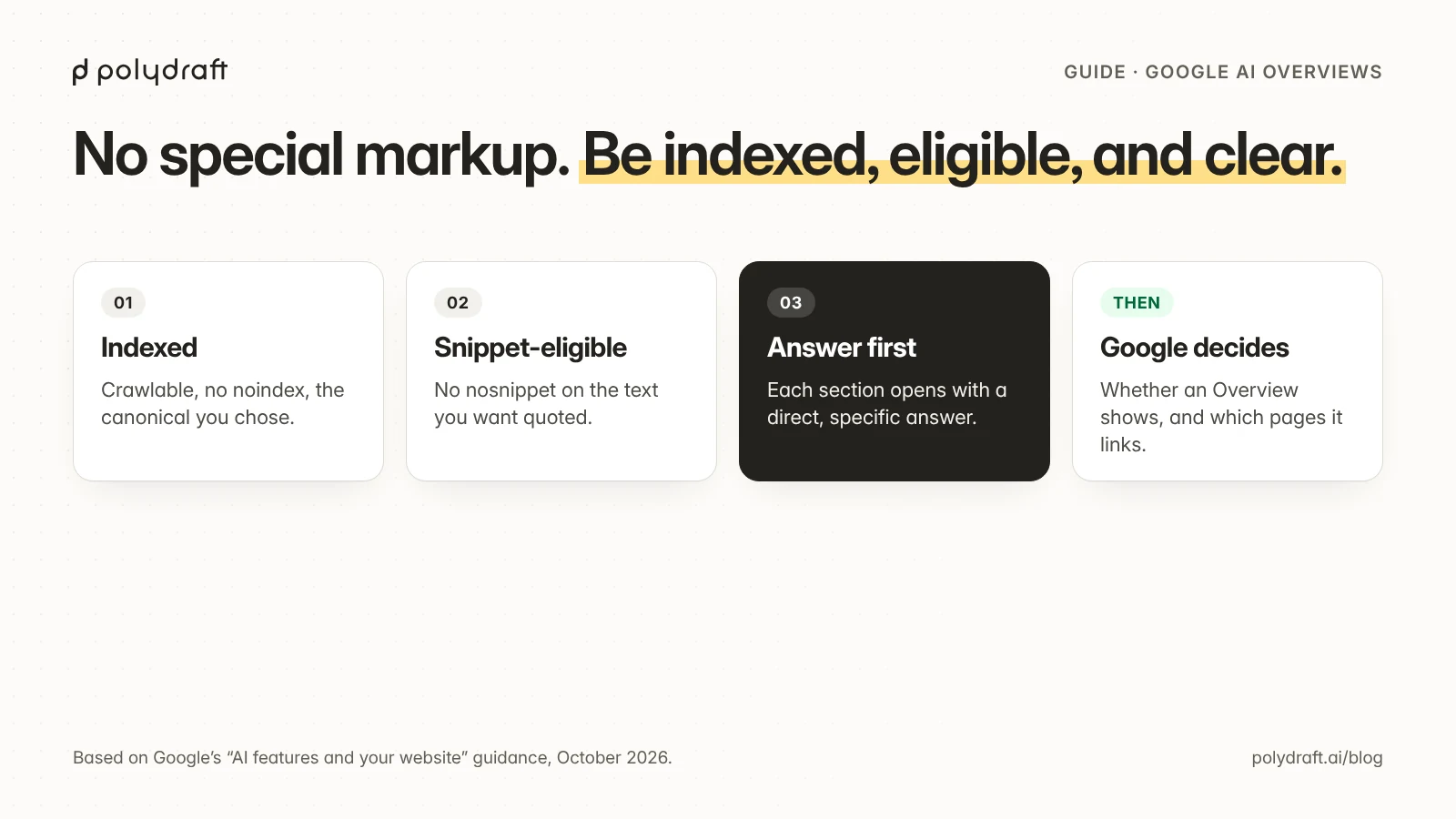
Google's guidance for site owners describes AI Overviews and AI Mode as part of Search itself, so the usual crawling and indexing rules apply. As of October 2026, Google says a page needs two things to appear as a supporting link:
- It's indexed. Googlebot can crawl it, it isn't blocked by robots.txt or
noindex, and Google has chosen it as the canonical version. - It's eligible to show a snippet. No
nosnippetor other control stops Google from showing text from the page.
Google says there are no other technical requirements. It doesn't ask for new machine-readable files, AI text files, or special markup. Which page gets linked for a particular search depends on Google's systems, the same as ranking. AI Overviews also don't appear for every search. Google shows them when it decides they add to the classic results.
How will AI Overviews affect SEO? They change where the click happens, not what makes a page useful. A searcher may get part of the answer at the top, then click a supporting link for the detail. Pages that answer the question clearly and add something the summary can't, such as specifics, examples, prices, or tools, are the ones worth clicking.
What you control and what you don’t
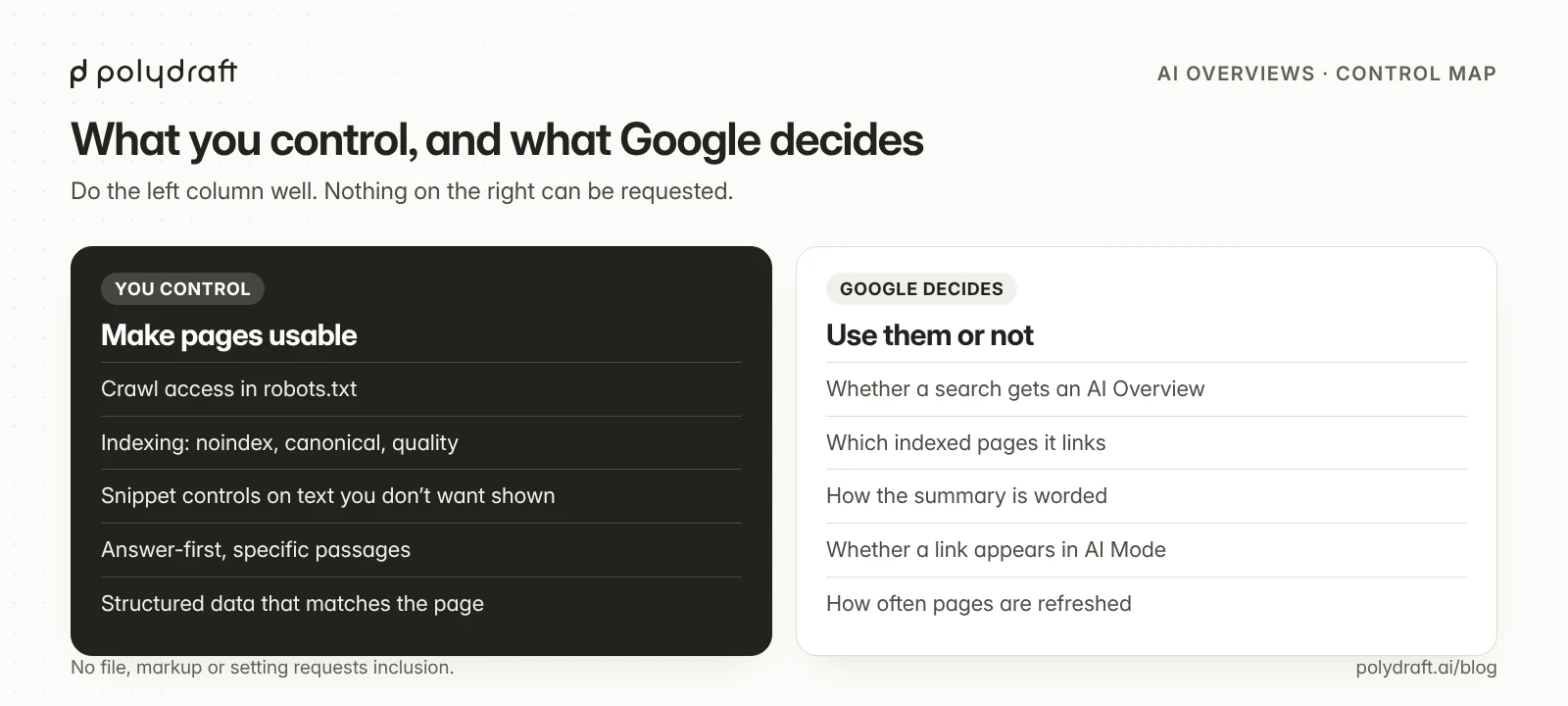
| You control | Google decides |
|---|---|
| Whether Googlebot can crawl the page (robots.txt) | Whether a search gets an AI Overview at all |
| Whether the whole site is excluded (the Search generative AI setting, where available) | Which searches trigger AI Mode answers |
Whether the page can be indexed (noindex, canonical, quality) |
Which indexed pages it links to |
What text may be shown (nosnippet, data-nosnippet, max-snippet) |
How the summary is worded |
| Whether each section opens with a clear, quotable answer | Whether your page is the best answer for that search |
| Whether structured data matches the visible page | How often your pages are refreshed in the index |
| Whether your claims are specific, sourced, and up to date | Whether a link appears in AI Mode or in an Overview |
The left column is the work. The right column is where people waste time: there's no markup, file, or setting that requests inclusion. The Search Console setting only lets you exclude your site.
A page checklist
Use this on the pages you most want cited. Each item is something you can check yourself.
| Check | How to check it | What a pass looks like |
|---|---|---|
| Indexed | URL Inspection in Search Console | "URL is on Google", with the canonical you expect |
| Crawlable | robots.txt and the URL Inspection live test | Googlebot allowed, and the page renders with its main text |
| Snippet-eligible | View source, search for nosnippet, max-snippet, and data-nosnippet |
No controls on the text you want quoted |
| Answer-first | Read the first paragraph and the first sentence under each heading | Each one answers its question on its own, in plain words |
| Specific | Look for numbers, names, dates, and steps | Facts a summary can quote, with sources where they matter |
| Structured data parity | Compare JSON-LD with the visible page | Every fact in the markup also appears on the page |
| Dates | Compare the visible updated date with dateModified |
They match, and the page was actually updated on that date |
| One page per question | Search your own site for the topic | One clear owner page, not several competing ones |
Two of these tend to be missed:
- Snippet controls cut both ways.
data-nosnippeton a section keeps that text out of AI features, and out of regular snippets too. Use it on text you genuinely don't want shown, not as an AI-only switch. - Structured data can't add facts the page doesn't show. Mark up what's visible. Markup that claims more than the page can lead to a manual action, and it doesn't help you get cited.
Myths worth dropping
| Myth | What Google's guidance says |
|---|---|
| "Add FAQ schema to get into AI Overviews." | No special markup is required. Structured data helps Google understand a page, but it doesn't request inclusion |
| "You need an llms.txt file for Google's AI features." | Google says you don't need new machine-readable files or AI text files to appear |
| "Block Google-Extended to stay out of AI Overviews." | Google-Extended governs some other uses of content. AI Overviews and AI Mode are part of Search, which Googlebot crawls. Use snippet controls to limit what's shown |
| "Only the #1 result gets cited." | Google doesn't publish such a rule. Pages are linked when its systems judge them helpful for the answer |
An llms.txt file can still be useful for other tools. See our guide to llms.txt examples and validation. Just don't expect it to change Google's AI Overviews.
How to measure appearances
Search Console gives you two views:
- The standard Performance report. Appearances in AI Overviews and AI Mode count toward your search traffic there, alongside regular results. You can't isolate them in this report, but you can watch impressions, clicks, and queries for the pages you improved, and compare four-week periods before and after a change.
- The Search Generative AI performance report. Google announced it on June 3, 2026. It shows impressions in generative AI features in Search, including AI Overviews and AI Mode, with separate views for Search and Discover. It reports impressions only, not clicks or queries.
Google started rolling these reports, and the matching Search generative AI setting, out to a subset of sites in June 2026. Check your property's Settings and reports to see whether they're available to you.
For AI assistants outside Google, which Search Console doesn't measure, use a dated set of test questions. Our AI visibility checker guide explains how we run one.
What we do on polydraft.ai
We apply the checklist above to our own blog. Every post goes through a QA script before review. Every post opens with a direct answer, and every section starts with one. Before we published our latest posts, we checked that each page returns 200, has one H1 and a self-referencing canonical, carries no noindex, and links only to working pages.
A structured data check caught a real issue on our own site. When we tested our on-page audit checklist against copies of two of our live posts, it found that their visible update notes disagreed with the dateModified in their structured data. Saves that hadn't changed the content had moved the date. We fixed both notes in the next real update, so each page's visible date and its markup now agree. We haven't measured AI Overview appearances for these pages yet, and we won't claim results we don't have.
Where PolyDraft fits
PolyDraft builds and runs websites with an AI builder agent. New sites built on its current template include canonical tags, a sitemap, and robots.txt, and accept page-level structured data. That's a starting point. Check the live pages against the list above, including that only your custom domain is indexed. See also PolyDraft's AI visibility features. If you'd rather have someone run your site and its SEO and AI-visibility work for you, PolyDraft's AI FDE service puts a PolyDraft engineer on it, and nothing goes live without your approval (contact us).
Frequently asked questions
How do I get my website in Google AI Overviews?
Make sure the page is indexed and allowed to show a snippet, then answer the question directly and specifically near the top of the page or section. Google decides whether to show an AI Overview and which pages to link. Sites are included by default, and no setting requests inclusion.
Do I need special schema or an llms.txt file for AI Overviews?
No. Google says there are no additional technical requirements, and that you don't need new machine-readable files, AI text files, or markup to appear in its AI features.
Can I stop my content from appearing in AI Overviews?
You can limit what's shown with nosnippet, data-nosnippet, or max-snippet, or remove a page from Search with noindex. These controls apply to regular results too, so use them carefully. To exclude your whole site from Google's generative AI features, use the Search generative AI setting under Settings in Search Console, where it's available. Google says that setting isn't used as a ranking signal for regular results, and it doesn't affect the Gemini app.
How is Google AI Overviews going to affect SEO?
The basics stay the same: crawlable, indexed pages that answer searches well. What changes is that some searchers get a summary first. Pages need to offer detail worth clicking through for, and passages clear enough to be linked.
How do I know if my site appears in AI Overviews?
Search Console counts AI Overview and AI Mode appearances in the standard Performance report, alongside regular results. Google is also rolling out a Search Generative AI performance report that shows impressions in these features. Check whether your property has it.
Does ranking first mean you get an AI Overview link?
No. Google doesn't publish a rule tying links to rank position, and many searches don't show an AI Overview at all.
Continue with the next task
- Make your pages easy to quote anywhere: What makes a site quotable
- Check visibility in AI assistants beyond Google: How to choose an AI visibility checker
- Decide whether to hire help: Generative engine optimization services
- Get the basics right on a new site: SEO for a new website
About this article. Drafted by an AI agent following PolyDraft's blog workflow, checked by an automated QA script, reviewed by separate AI agents, and approved by Vincent Chen. We paraphrase Google's documentation rather than quote it, as of October 26, 2026. We checked each point against excerpts of Google's published pages, linked below. The polydraft.ai examples come from our own publishing checks that week. We report no AI Overview results for our pages. The diagrams are original illustrations made for this article.
Sources
- Google Search Central: AI features and your website
- Google Search Central: In-depth guide to how Google Search works
- Google Search Central: Control your snippets in search results
- Google Search Central: Robots meta tag, data-nosnippet, and X-Robots-Tag specifications
- Google Search Central Blog: Introducing Search Generative AI performance reports in Search Console
- Google Search Central: General structured data guidelines
- Search Console Help: Performance report
Written by
Founder of PolyDraft and CEO of BlackMonolith, Inc.