
In this article
- 01 Understand the current llms.txt proposal
- 02 A copyable llms.txt example for a business website
- 03 Select sources by responsibility, not traffic
- 04 Validate the response, links and facts
- 05 Evaluate usefulness without claiming search results
- 06 Frequently asked questions
- 07 Build a map you can maintain
- 08 Sources
A useful llms.txt example is a short Markdown map of reliable website information: identify the organization, explain the scope, and link to a small set of authoritative pages. Then check that every link works and every description agrees with its source. The file is an optional aid for systems that use the proposal, not a replacement for a readable website.
For Google Search specifically, llms.txt is unnecessary. Google's current generative AI optimization guide says Search ignores these files for visibility and ranking. Build one because a relevant agent workflow can use it, not because a checklist promises an SEO boost.
- Keep a curated index; do not copy the entire website into one file.
- Link only to information you can verify and maintain.
- Test retrieval separately from answer quality and public search visibility.
- Keep essential content on accessible pages for people and crawlers.
Understand the current llms.txt proposal
Jeremy Howard's llms.txt proposal, updated to v2 in August 2026, describes a Markdown file with a site or project heading, optional context, and sectioned link lists. It supports root and subpath files; a file under /docs/ covers that path. The proposal also describes Markdown alternatives and standard link relations for discovery.
Those are proposal conventions, not a promise that every assistant discovers or follows them. Maintain a simple file your intended tools can actually consume. Do not advertise Markdown copies that your site does not serve, or treat a passing syntax check as proof of adoption.
| Artifact | Practical purpose | Does not establish |
|---|---|---|
| robots.txt | State crawler access preferences | Private access control or guaranteed indexing |
| XML sitemap | Provide discoverable site URLs | Guaranteed inclusion in search |
| llms.txt | Offer a curated reading map to supporting tools | Google ranking or AI citation improvement |
| The actual page | Provide the information a person or system needs | Accuracy merely because it is online |
Google's sitemap overview and its robots.txt introduction explain the separate discovery and crawling roles. Keeping those responsibilities separate makes a broken setup easier to diagnose.
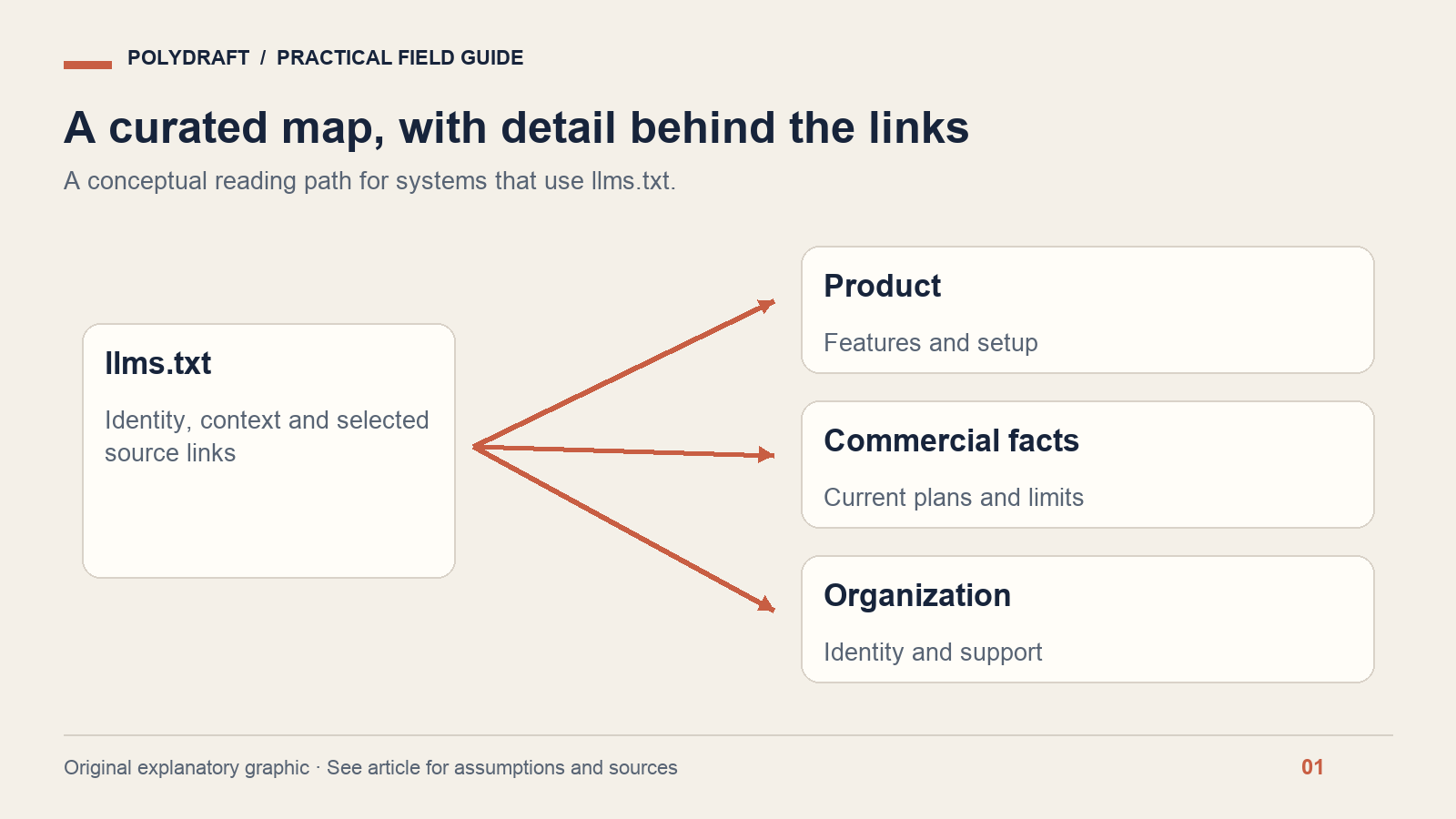
A copyable llms.txt example for a business website
The fictional company below sells scheduling software. The names, products and URLs are examples, not customer evidence. Replace every entry with a real, public, maintained destination before publishing. This example uses ordinary page URLs; use verified Markdown alternatives where your site provides them.
# Example Scheduling

> Scheduling software for independent service teams.

This index describes public product information. For current plan
limits, use the pricing page. For support policies, use the help center.

## Product

- [Features](https://example.com/features): Supported scheduling workflows.
- [Pricing](https://example.com/pricing): Current plans, limits and billing terms.
- [Getting started](https://example.com/docs/start): Account setup and first booking.

## Company and support

- [About](https://example.com/about): Company identity and contact information.
- [Help](https://example.com/help): Troubleshooting and support routes.

## Optional

- [Release notes](https://example.com/updates): Dated product changes.
Notice what this file leaves out: every blog post, promotional superlatives, unpublished roadmap items and copied prices. Linking to the current pricing page is easier to maintain than storing a second price list in a text file that someone may forget to update.
The short descriptions distinguish which page answers which question. “Learn more” repeated six times would be less useful. An agent asking about support should not have to guess whether a release note, company page or landing page is authoritative.
Select sources by responsibility, not traffic
Start with the questions your buyers or users actually ask. For each question, nominate one page that owns the answer. If several pages contradict one another, resolve that inconsistency before adding them to the map. Curation cannot make conflicting source material reliable.
| Question | Good source candidate | Reason to exclude or fix |
|---|---|---|
| What does the product do? | Current features or product documentation | Page describes planned capabilities as available |
| What does a plan include? | Maintained pricing and billing terms | Old launch announcement with obsolete limits |
| How do I perform a task? | Verified step-by-step documentation | Unpublished instructions or broken assets |
| Who operates the service? | About and contact information | Conflicting company names or unsupported credentials |
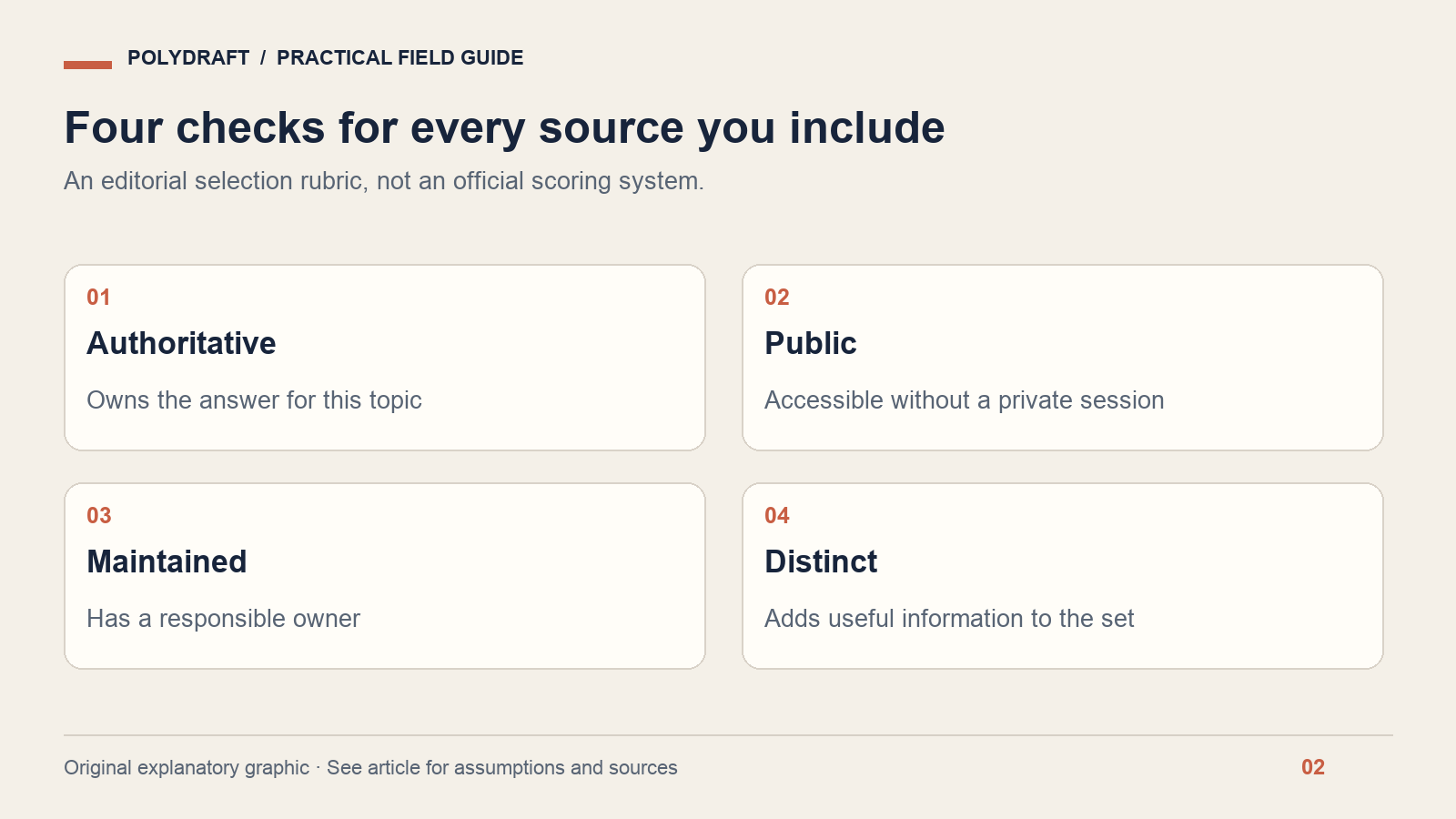
Our suggested inclusion test has four questions: Is the page authoritative for this topic? Is it public? Is it maintained? Does it add something the other selected pages do not? These are editorial criteria, not a score specified by the proposal. A short file that passes them is more useful than a long inventory of indistinguishable URLs.
For a multilingual site, make the language context explicit and choose the appropriate regional source. Do not mix a US pricing description with another market's terms. When a translation is incomplete, link to an accurate source and describe its language instead of pretending the localized answer exists.
Validate the response, links and facts
Run a validation pass whenever the file changes and when important source pages change. Save the date and the final URL so the result is reproducible. A successful check today does not establish that a future release will preserve the same paths.
- Fetch the file: open its public URL without an admin session. Confirm a successful response containing the intended Markdown rather than a login page or application shell.
- Inspect the structure: check the site heading and readable link sections. Remove broken Markdown, duplicated entries and accidental private notes.
- Follow every selected link: record the final response, destination and whether the relevant text is available.
- Compare descriptions with sources: verify product scope, pricing references, company identity and language.
- Check discovery if implemented: confirm any advertised Markdown alternative or describedby link resolves to the resource it claims.
- Assign maintenance: name the role responsible for updates when selected pages move or change.
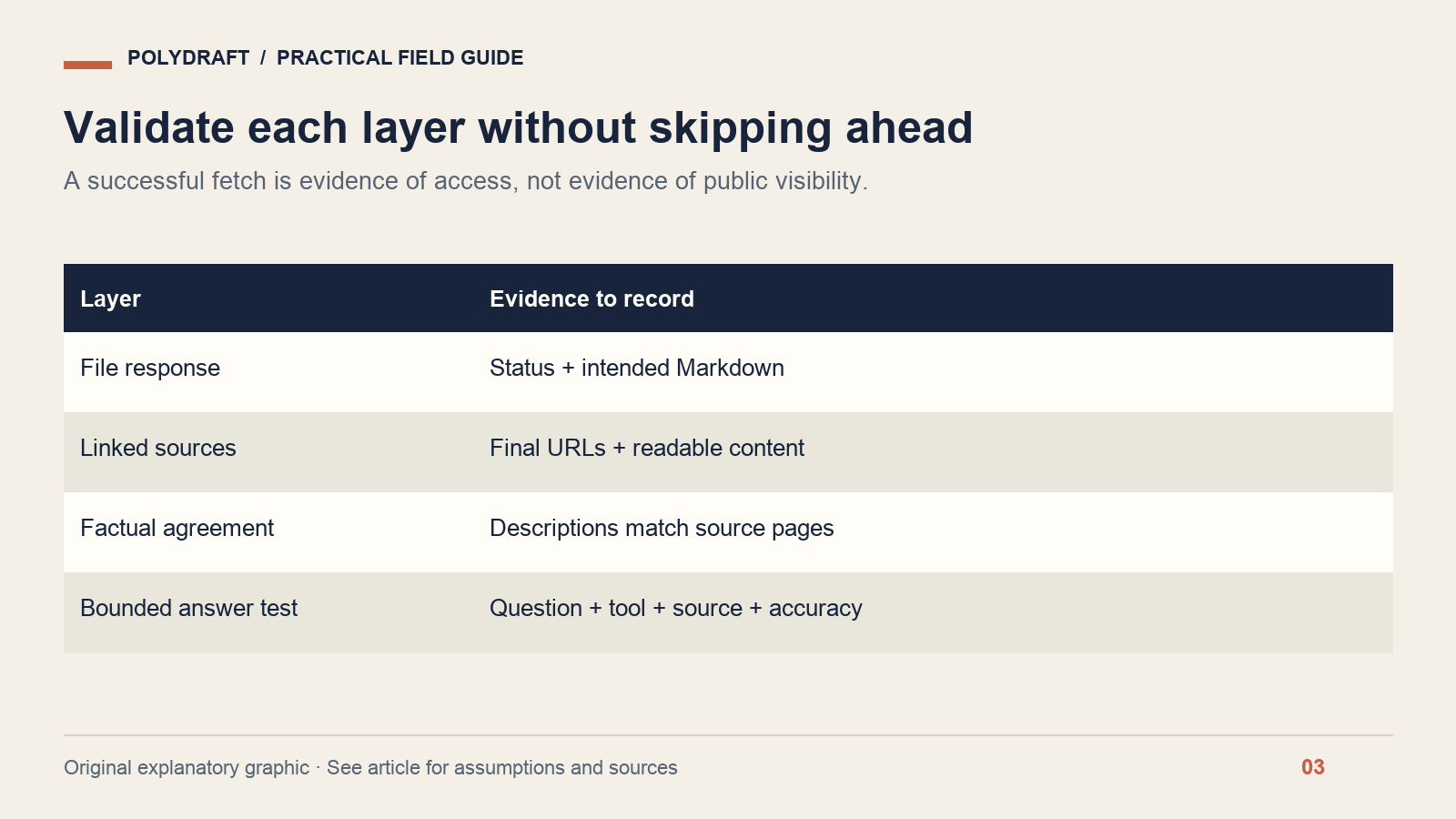
Use a small worksheet rather than a single “valid” badge:
File URL | Checked at | Final status | Expected content present
Linked URL | Final destination | Description accurate | Owner
Question tested | Source used | Answer correct | Missing information
Change required | Responsible role | Retest date
If the index points to a redirected page, decide whether that redirect is intentional and update the link to the stable destination where appropriate. If the source is private, remove it from the public index and design a separate authenticated workflow. Never put secrets or customer-specific URLs into a public file.
Evaluate usefulness without claiming search results
Choose a few representative questions, such as “Which plan includes this capability?” and “Where are the setup instructions?” Give a compatible agent the file as its starting reference, ask it to identify the source for each answer, and compare the response with the current pages. This is a bounded retrieval exercise.
Record the tool, model if available, date, exact question and supplied context. Count an answer as successful only if it is accurate and points to a supporting source. A correct answer produced after you explicitly supplied llms.txt does not prove that an unrelated public search assistant would discover the file or cite your site.
Separate four observations: the file exists; a tool fetched it; a tool answered correctly from its linked sources; an independent search experience cited the site. Each needs its own evidence. This prevents a deployment check from being reported as a visibility result.
Frequently asked questions
Does llms.txt improve Google rankings?
Google's current documentation says Search ignores llms.txt for visibility and ranking. Treat the file as an optional resource for other systems that use it. Invest first in accurate, accessible pages and a useful website; do not sell the file itself as a Google optimization result.
Should the file list every page?
Use a curated set that helps the intended reader or agent choose the right source. An exhaustive list can make that choice harder. Keep the sitemap for broad URL discovery, and give llms.txt entries specific descriptions that explain why a destination matters.
Do I need a Markdown copy of every page?
The proposal recommends clean Markdown resources, but do not invent URLs or duplicate an entire site without a maintenance plan. Start with useful, reachable sources. If you offer alternate representations, validate that they remain accurate and equivalent as the original pages change.
Build a map you can maintain
Use the PolyDraft llms.txt generator to prepare a starting file, then perform the source and link checks above. For access problems, see our website readability diagnostic. The meaningful deliverable is a trustworthy map of useful pages, with evidence of how it was checked.
About this article: Prepared with AI assistance for PolyDraft. Technical statements are linked to primary documentation checked on October 8, 2026. Worked examples and diagrams are illustrative, not customer results or live-site audit evidence. The hero is an AI-generated editorial illustration. For corrections, contact PolyDraft with the page URL and supporting source.