In this article
- 01 What counts as a website migration
- 02 Phase 1: inventory and decisions
- 03 Phase 2: build and test on staging
- 04 Phase 3: cutover day
- 05 Phase 4: monitor in fixed windows
- 06 How to migrate a website without losing SEO
- 07 Where PolyDraft fits
- 08 Frequently asked questions
- 09 Continue with the next task
- 10 Sources
A website migration is any change that moves where or how your site is served: a new platform or CMS, a new domain, new hosting, HTTP to HTTPS, or a new URL structure. To migrate without losing SEO, do the work in a fixed order. List every URL and asset that matters, and give each one an owner and a decision. Build and test the new site on staging. Map every changed URL to its closest new equivalent with a one-to-one permanent redirect. Agree a rollback trigger before cutover. Then watch Search Console in fixed windows afterwards. Most migration damage comes from something nobody wrote down, so the checklist below is mostly about writing things down and checking them.
This guide is for founders and small teams moving a business website, with or without an agency. It covers the five kinds of migration, a phase-by-phase checklist with owners, what to check on cutover day, and how long to monitor. If you're redesigning on the same platform and domain, our website redesign SEO checklist is the better fit.
Key points
- Name the kind of migration first. A hosting move and a domain move need different checks.
- Inventory before you change anything: URLs, traffic, links, redirects already in place, forms, tracking, DNS records, and email.
- Every URL that matters gets one decision: keep, redirect to its closest equivalent, or retire with a 404 or 410.
- Test redirects end to end. A redirect that leads to a missing page is worse than no redirect at all.
- Give every checklist item an owner and a rollback action, and decide the rollback trigger before launch day.
- Keep redirects in place for at least a year, and monitor in fixed windows rather than reacting day to day.
What counts as a website migration
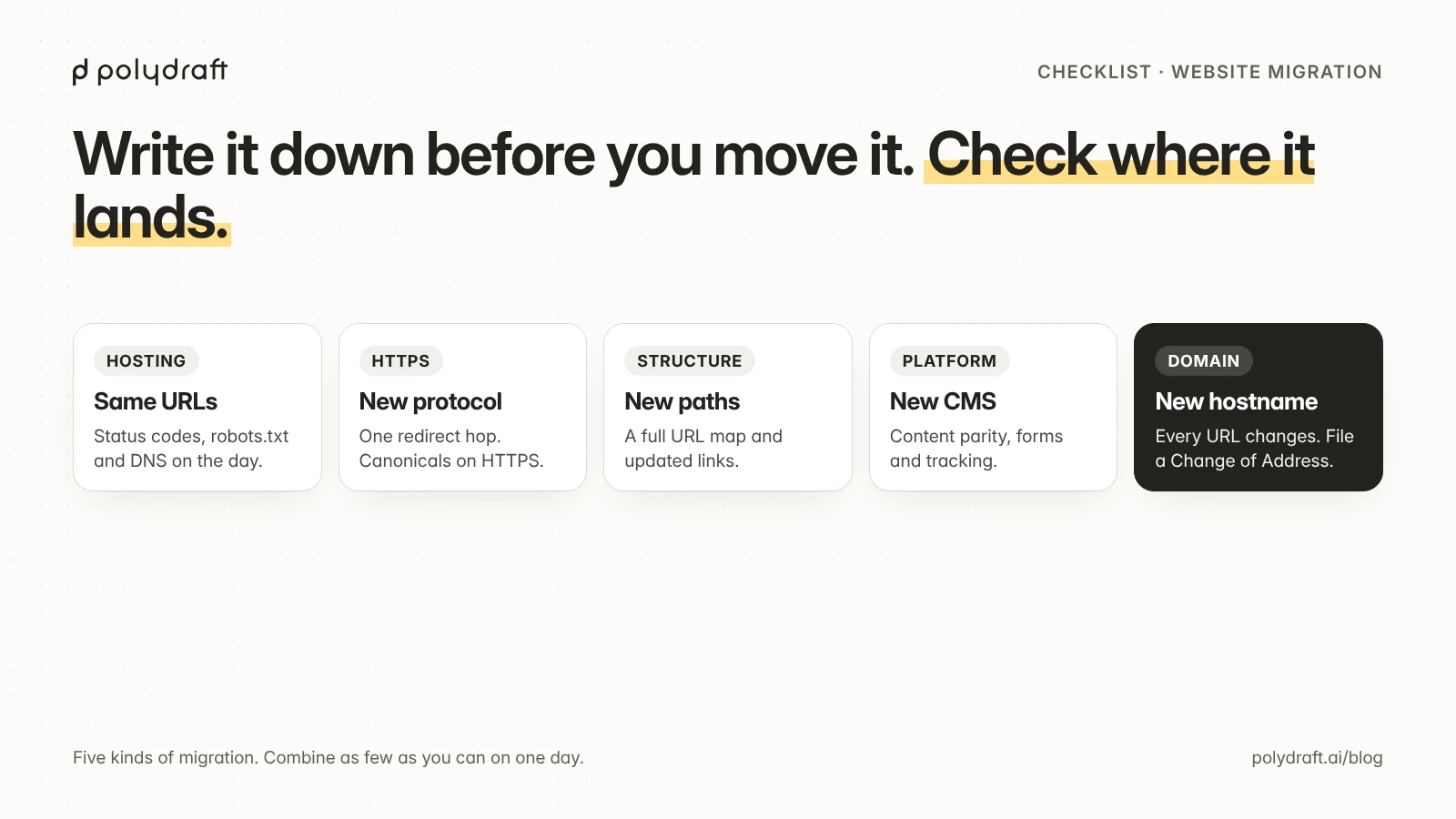
A migration is any change that alters how search engines and visitors reach your pages. They come in five kinds, and the risk depends on how many of them you combine:
| Kind of migration | What changes | Main SEO risk | Extra checks |
|---|---|---|---|
| Hosting move | Server or provider, same URLs | Downtime, slow responses, wrong robots.txt or noindex copied from staging |
DNS cutover plan, TTLs, status codes on launch day |
| HTTPS move | http:// to https://, same paths |
Mixed content, redirect chains, canonicals still on HTTP | One redirect hop from every HTTP URL, canonicals and sitemap on HTTPS |
| Structure change | URL paths on the same domain | Lost pages and links if old URLs aren't redirected | A full URL map, internal links updated, sitemap rebuilt |
| Platform or CMS move | The system that renders pages (for example WordPress to a static or hosted builder) | Content, metadata, structured data, and features that don't carry over | Content parity by template, forms, tracking, integrations |
| Domain change | The hostname itself | Every URL changes at once | Redirects from every old hostname, Search Console's Change of Address tool |
Google treats a move where URLs change as a site move. Its guidance covers mapping old URLs to new ones and keeping redirects in place for a long time. A move where URLs stay the same, like a hosting change, mostly needs the new server to behave exactly like the old one.
Don't combine more than you need to. A platform move plus a domain change plus a new URL structure, all on one day, means that if traffic drops, you won't know which change caused it. If you can, split them, for example the platform move first and the domain change later.
Phase 1: inventory and decisions
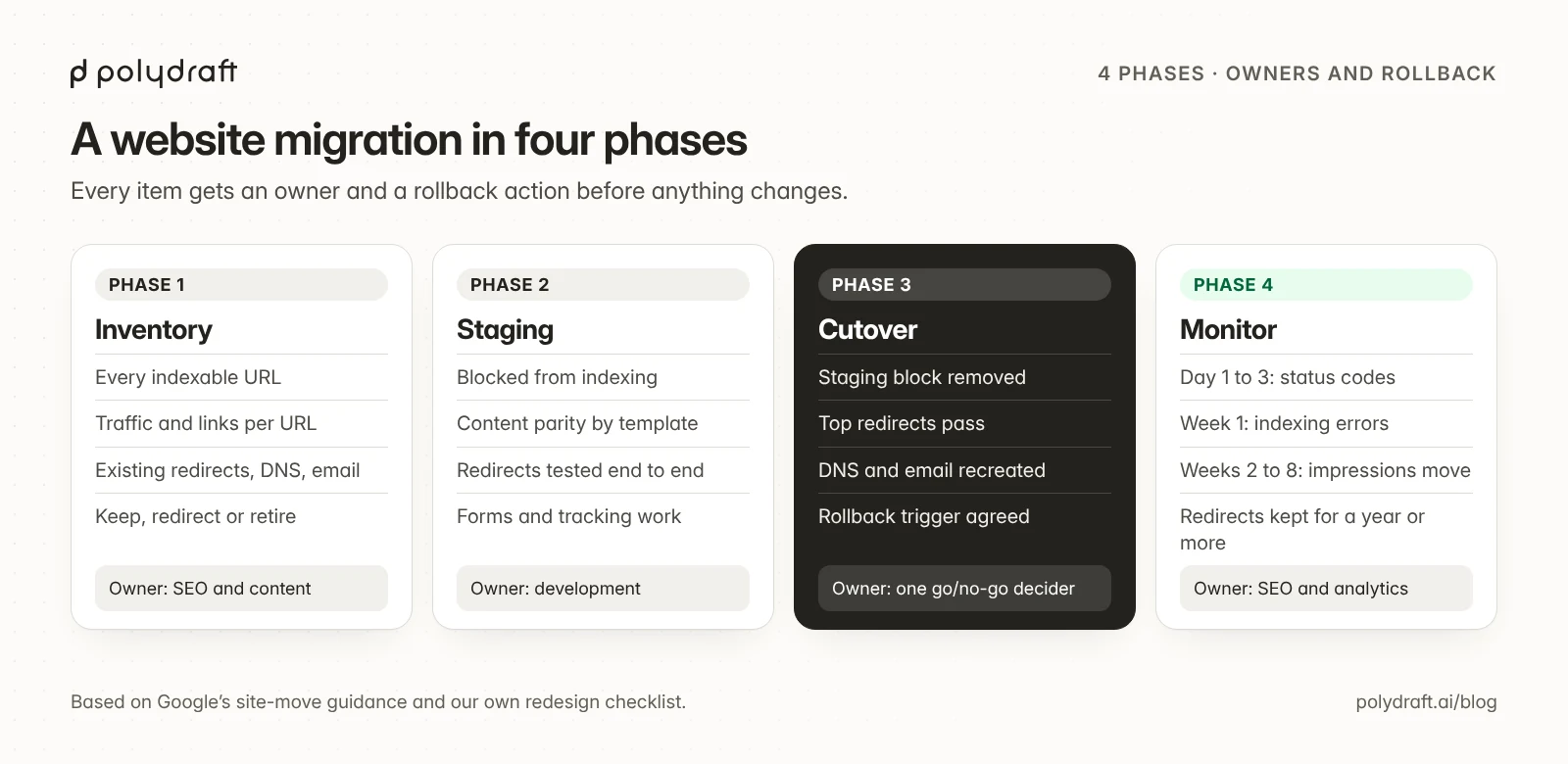
Start by recording what you have, while it still works:
- Every indexable URL. Combine your sitemap, a crawl of the live site, and Search Console's Performance report by page. Add URLs that external sites link to.
- Traffic and value per URL. Clicks and impressions from Search Console, plus visits and conversions from analytics, for at least the last three months.
- Redirects already in place. Old redirects must keep working after the move, and must point straight to final URLs, not into chains.
- Templates and features. Forms, search, logins, embeds, downloads, structured data,
hreflang, and anything a plugin did. - Tracking and integrations. Analytics tags, conversion pixels, CRM and form connections, and consent banners.
- DNS and email. Export every DNS record before touching the domain: MX records, SPF and DKIM for email, verification records, and subdomains.
- For a hosting move, a full backup. Back up the site's files and database before you start, and lower the DNS TTL well ahead of the switch so the change takes effect quickly.
- Search Console and Bing Webmaster Tools. Confirm the business owns both properties, and keep access to the old ones.
Then give each URL that matters one decision. The URL preservation ledger in our redesign checklist explains the rules in detail:
| Decision | When | What to set up |
|---|---|---|
| Keep | Same content, same URL on the new site | Nothing beyond checking it returns 200 |
| Redirect | Content moves to a new URL | One 301 or 308 redirect from the old URL straight to its closest equivalent |
| Retire | No equivalent exists | A 404 or 410. Don't send everything to the homepage |
Give each item an owner and a rollback action. A checklist without names turns into "I thought someone else checked that". Use one column for the owner (development, content, SEO, analytics) and one for the rollback, such as "restore the previous DNS records" or "re-deploy the previous build".
Phase 2: build and test on staging
Build the new site where search engines can't see it, then test it as if it were production:
- Block staging from indexing, with authentication or
noindex. Write down how you'll remove that block on launch day. - Content parity by template. Compare old and new versions of each template: main text, headings, titles, meta descriptions, images and alt text, internal links, and structured data.
- Canonicals point to the new production URLs, not to staging or the old domain.
- Redirect map loaded and tested. Run every row in the map against staging before launch.
- Forms, tracking, and integrations tested with real submissions and real events.
- Performance and rendering. The main content must be in the HTML the server returns, not only added by scripts later.
Test redirects end to end, not just their status code. We learned this on our own site. Our redesign guide includes a redirect-check script. In our October 2026 audit of that guide, we found that the first version passed redirects that led to missing pages. We fixed it so that it checks that each old URL makes one permanent redirect to exactly the expected URL, and that URL returns 200, and then tested it again. The fixed script is in our website redesign SEO checklist. Use any tool you like, but make sure it checks the final destination.
Phase 3: cutover day
Agree the go/no-go checks and the rollback trigger before the day. For example:
- The staging block is removed. No
noindex, and noDisallow: /in the production robots.txt. - Top-tier redirects pass. Run the redirect check for the URLs that bring the most traffic and links.
- Canonicals, sitemap, and
hreflanguse the new URLs, and the new sitemap is submitted in Search Console and Bing Webmaster Tools. - DNS records are recreated, including email (MX, SPF, DKIM), and email still arrives.
- Forms and conversion tracking fire on the live site.
- For a domain change, once redirects are live, file a Change of Address request in Search Console. You need to own both the old and the new property, using the same Google account.
Rollback trigger. Decide in advance what sends you back. For example: a sitewide noindex or robots.txt block in production, top-tier redirects failing, or a key template missing its main content. Name the one person who makes the call, and keep the previous site deployable until the monitoring windows are over.
Phase 4: monitor in fixed windows
Traffic usually moves around after a migration while search engines re-crawl. Check on a schedule instead of reacting every day:
| When | What to check |
|---|---|
| Day 1 to 3 | Status codes of top URLs, the redirect check again, server errors, form submissions, and analytics events |
| Week 1 | Page indexing report for new errors, crawl stats, and 404s for URLs that should redirect |
| Weeks 2 to 8 | Old URLs dropping out and new ones gaining impressions in the Performance report. Google says a medium-sized site can take a few weeks for most pages to move |
| Month 3 and later | Clicks and conversions against the baseline you recorded in phase 1 |
Keep redirects for at least a year. Google's site-move guidance says to keep them in place for as long as possible, and generally at least one year. There's little reason to remove a redirect that still gets visits or links.
If traffic drops, diagnose by symptom before you change anything else. The symptom table in our redesign checklist applies to migrations too.
How to migrate a website without losing SEO
No migration can promise unchanged rankings. What you can control is that search engines and visitors find the same content, answering the same questions, at addresses they can follow. In practice, the rules that protect most of your search traffic are:
- Keep URLs the same unless there's a reason to change them.
- Redirect every URL that does change, one to one, in a single hop, to its closest equivalent.
- Keep the content that earned the traffic. Rewrite it later, not on the same day.
- Check robots.txt,
noindex, and canonicals on the live site, not just on staging. - Change one thing at a time where you can, so you can tell what caused any drop.
Where PolyDraft fits
PolyDraft rebuilds business websites and publishes them to your own Cloudflare account. Its WordPress to Astro and AI website redesign pages, as of October 26, 2026, describe the process this way. Public pages and posts are read as source material and rebuilt, not cloned. Your current site keeps serving traffic until you choose to switch. Redirects aren't generated for you: you decide each URL, a person confirms the mapping, and you configure the mapping on the host that serves the new site. For a PolyDraft site, that's your own Cloudflare account. Plugins, private content, stores, and form submissions don't carry over. That's why the inventory and URL decisions above still matter on PolyDraft.
PolyDraft also offers AI FDE (AI forward-deployed engineering): a PolyDraft engineer runs PolyDraft for you, building or migrating your site and doing its technical SEO, content, and AI-visibility work with PolyDraft's agents. Nothing goes live without your approval. Contact us to scope an engagement.
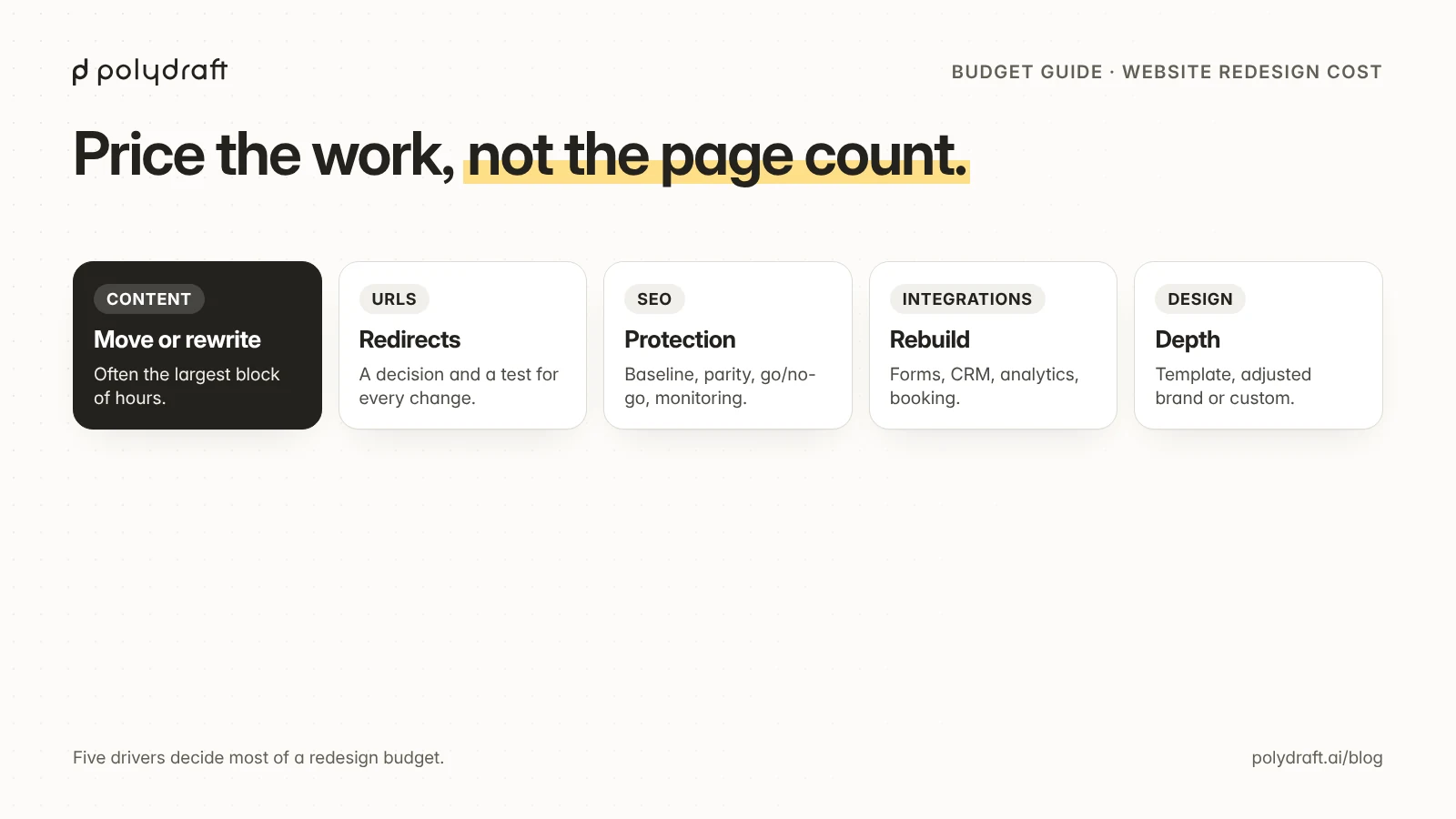
If you're also budgeting a redesign, our guide to website redesign cost breaks down what drives it.
Frequently asked questions
What is a website migration?
It's any change to how your site is served that affects how search engines and visitors reach it: a new platform, domain, hosting, protocol (HTTP to HTTPS), or URL structure.
Will a website migration hurt my SEO?
It can, mostly through lost URLs, missing content, or blocked pages. Careful URL decisions, tested one-to-one redirects, content parity, and live-site checks reduce the risk. Some temporary fluctuation while search engines re-crawl is normal.
How long does it take for Google to process a site migration?
Google says most pages on a medium-sized site can take a few weeks to move, and larger sites longer. Monitor in fixed windows and compare against the baseline you recorded before the move.
How long should I keep redirects after a migration?
As long as possible. Google's guidance is generally at least one year, and there's little reason to remove a redirect that still receives visits or links.
What extra steps does a domain change need?
On top of the redirects, recreate every DNS record (including email) on the new domain, verify the new property in Search Console and Bing Webmaster Tools, and file a Change of Address request in Search Console once redirects are live. That request needs you to own both the old and the new property, using the same Google account.
What’s the difference between a migration and a redesign?
A redesign changes how pages look and read. A migration changes where or how they're served. Many projects are both, and then you need both checklists.
Continue with the next task
- Redesigning at the same time: Website redesign SEO checklist
- Planning the new URL structure: Website architecture for SEO
- Budgeting the project: Website redesign cost
- Moving off Wix: Wix SEO: what to check and when to move
About this article. Drafted by an AI agent following PolyDraft's blog workflow, checked by an automated QA script, reviewed by separate AI agents, and approved by Vincent Chen. Google's guidance is paraphrased from the pages below, which we checked when writing our redesign checklist in October 2026. Product details come from PolyDraft's own pages as of October 26, 2026. The redirect-script finding comes from our own audit. The diagrams are original illustrations made for this article.
Sources
- Google Search Central: Site moves with URL changes
- Google Search Central: Redirects and Google Search
- Search Console Help: Change of Address tool
- Search Console Help: Page indexing report
- Google Search Central: HTTP status codes, network and DNS errors
Written by
Founder of PolyDraft and CEO of BlackMonolith, Inc.