In this article
- 01 What "auto SEO" means
- 02 What auto SEO software actually does
- 03 What Google says about automation
- 04 Red flags we’d walk away from
- 05 A 12-question scorecard for any tool or service
- 06 A two-week trial before you commit
- 07 What we automate on our own site, and what we don’t
- 08 Where PolyDraft fits
- 09 Frequently asked questions
- 10 Continue with the next task
- 11 Sources
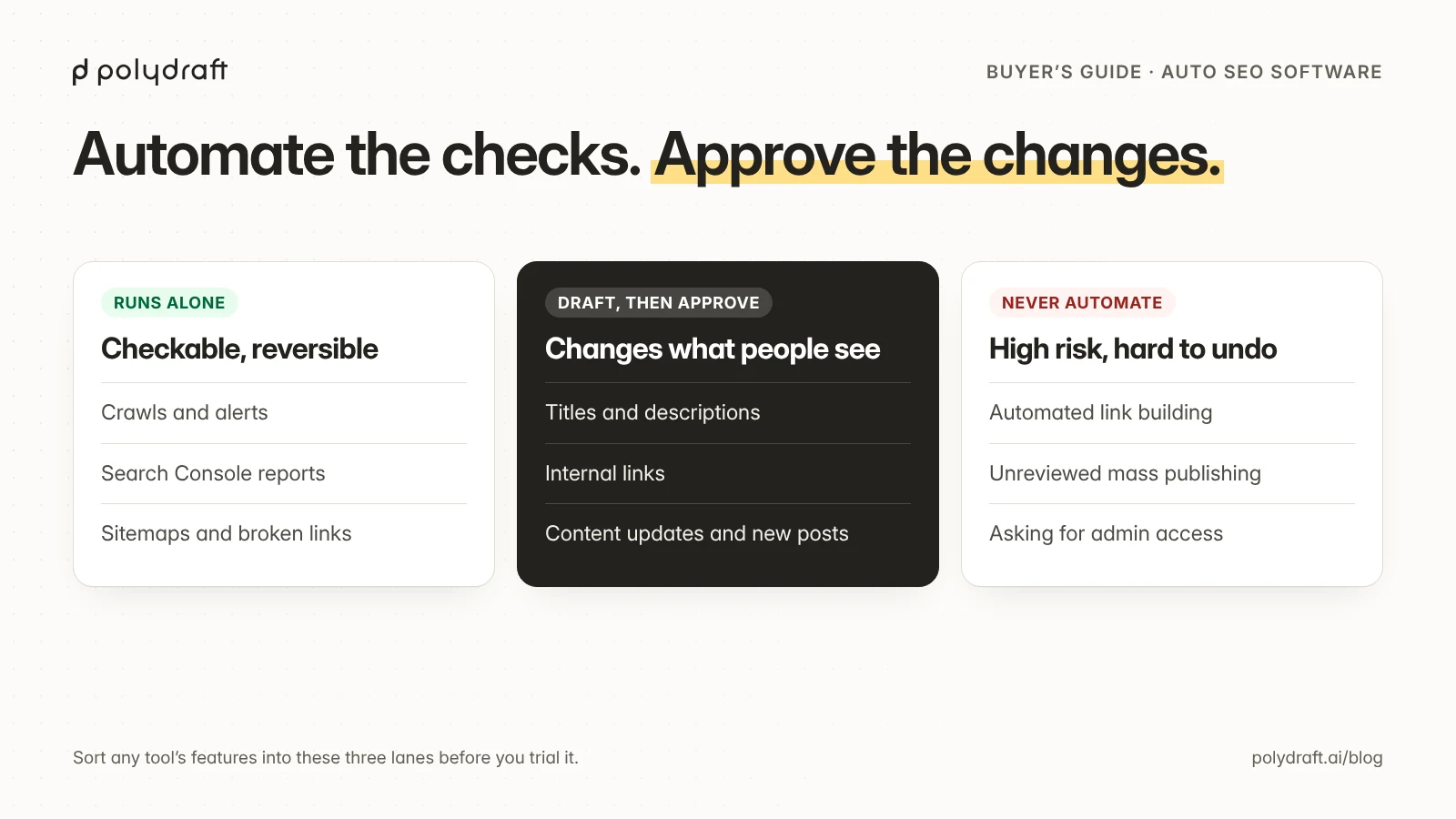
Auto SEO software is safe to run on its own for work you can check and undo: crawling, monitoring, broken-link and redirect checks, sitemap updates, and reports. It's useful as a drafting assistant for titles, meta descriptions, internal links, and content updates, as long as a person approves each change. It shouldn't build links or mass-publish articles for you. Google's spam policies name both. Using automated programs or services to create links to your site is listed as link spam, and generating many pages "for the primary purpose of manipulating search rankings and not helping users" is scaled content abuse. Choose a tool by what it lets you review, undo, and verify, not by how much it does without you.
This guide is for founders and small teams comparing auto SEO tools or done-for-you services. It covers what the term means, a task-by-task risk table, the red flags we'd walk away from, a 12-question scorecard, and a two-week trial you can run before you commit.
Key points
- "Auto SEO" covers everything from scheduled audits to services that publish an article a day and buy links. Those carry very different risks.
- Google doesn't object to automation as such. It objects to automation whose main purpose is manipulating rankings.
- Automate tasks whose correct answer comes from your own site. Keep a person on anything that changes what your site claims or who links to it.
- Approval should cover the exact change that ships, and the tool should show you the live result afterwards.
- Run a short read-only trial against a baseline before you let any tool write to your site.
What "auto SEO" means
The term covers three different things, and search results mix them up:
| Meaning | What it is | Covered here? |
|---|---|---|
| Automated SEO software | Tools that run SEO tasks for you on a schedule or when triggered: audits, on-page fixes, content, internal links, reports | Yes |
| Products named "AutoSEO" | Specific commercial products and a WordPress plugin with that name | Only as examples of the categories below, not as reviews |
| SEO for auto businesses | Agencies that do search marketing for car dealers and repair shops | No |
The rest of this article is about the first meaning. We haven't tested the named products, so we don't rank them. What we can give you is the method we use to judge any tool, and how our own product scores against it.
What auto SEO software actually does
Most tools combine a few of these jobs. The risk depends on the job, not the brand.
| Task | Typical automation | Can it run unattended? | Why |
|---|---|---|---|
| Site audits and monitoring | Scheduled crawls, alerts for 404s, redirect chains, noindex, slow pages |
Yes | Read-only, and the answer comes from your own site |
| Reports | Weekly Search Console and analytics summaries | Yes | Read-only, as long as the tool shows dates and data sources |
| Technical upkeep | Sitemap updates, image compression, fixing internal links to moved URLs | Usually, if every change is logged and reversible | Low blast radius, easy to verify |
| On-page changes | Rewriting titles, meta descriptions, headings, alt text | Draft only. A person approves | They change what searchers see. Google's guidance on generative AI content says to review AI-generated titles, descriptions, structured data, and alt text before publishing |
| Internal links | Suggesting or inserting links between your pages | Suggestions yes, insertion after review | Wrong anchors and irrelevant links make pages worse to read |
| Content updates and new articles | Drafting refreshes or new posts from keywords | Draft only. A person approves each piece | Scaled content without added value is a spam-policy risk, and drafts contain factual errors |
| Link building | Outreach, directory submissions, link "networks" | No | Automated link creation is listed as link spam |
This follows the approach in our guide to post-launch SEO. Automate work whose correct answer is set by the site itself. Anything that changes what you claim, or who vouches for you, needs a person accountable for it.
What Google says about automation
Google's position, published in February 2023 and still in its guidance as of October 2026: "Appropriate use of AI or automation is not against our guidelines." What it does object to: "Using automation—including AI—to generate content with the primary purpose of manipulating ranking in search results is a violation of our spam policies."
As of October 2026, two of the spam policies apply directly to auto SEO tools:
- Scaled content abuse. "When many pages are generated for the primary purpose of manipulating search rankings and not helping users." The policy applies however the pages are produced, by people, templates, or AI.
- Link spam. Google's examples include using automated programs or services to create links to your site.
Google's guidance on generative AI content adds that generating many pages without adding value for users may violate the scaled content policy. In short, a tool that publishes unreviewed articles every day and builds links every month is automating exactly what the policies describe.
Red flags we’d walk away from
Walk away from any tool or service that builds links, publishes without review, or can't show and undo its changes. The full list:
- Automatic backlinks. Any plan that includes "X links per month" built by software or a network.
- Unreviewed publishing on a schedule. Articles that go live without a person reading them first.
- Ranking promises. No tool controls Google's results, so a promise of a position isn't a commitment the vendor can keep.
- No change log or undo. If you can't see what changed and roll it back, you can't fix what breaks.
- Hidden data sources. Keyword volumes or "traffic value" with no provider or date.
- Lock-in. Content, redirects, or links that disappear when you cancel.
- Broad access with no reason given. A tool that wants full admin rights to your CMS to run read-only reports.
A 12-question scorecard for any tool or service
Score a tool by what you can verify, and rule it out if it can't log and undo changes, or if it builds links or publishes without review.
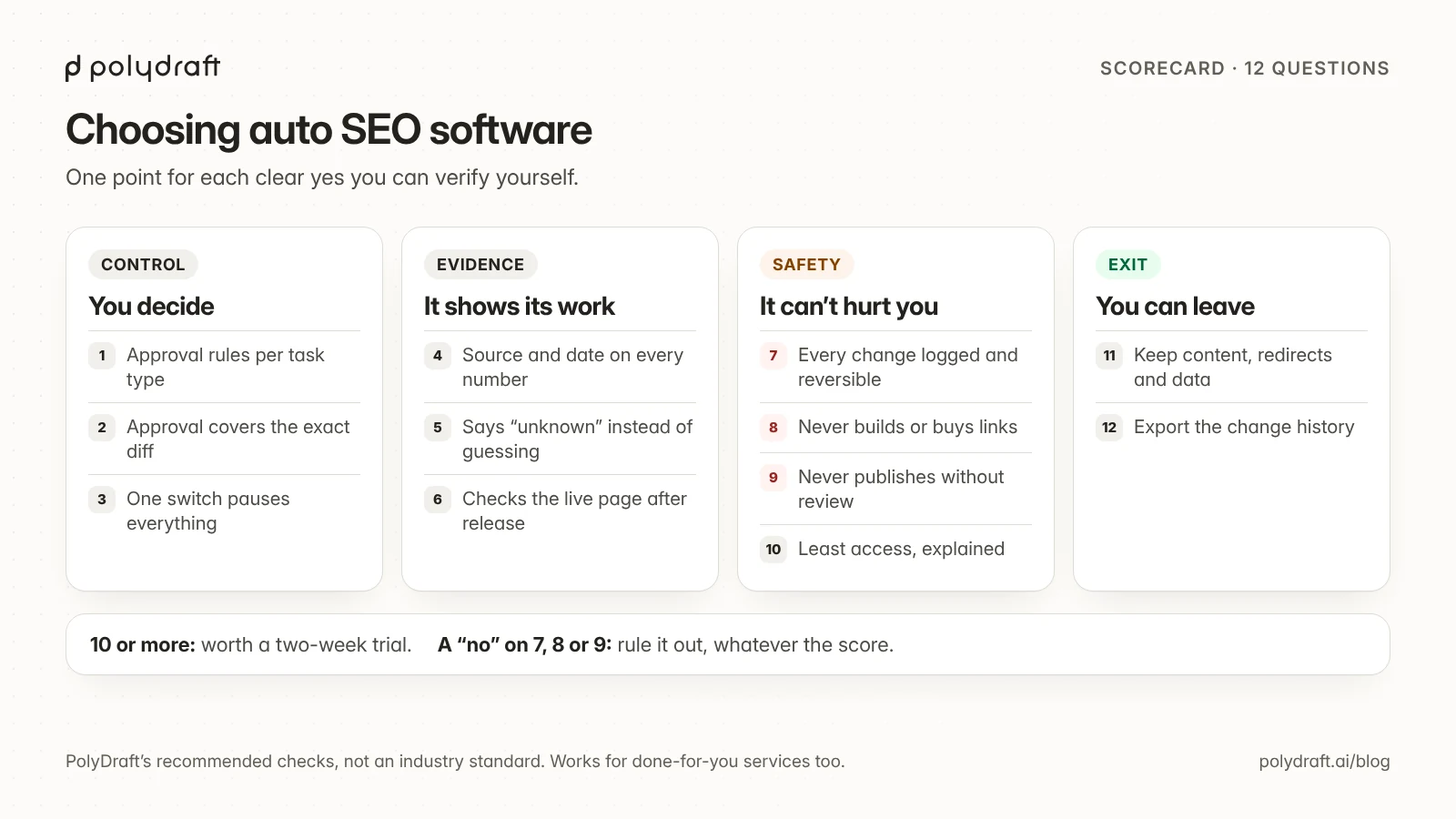
Ask these questions in a demo or in writing. Score one point for each yes you can verify yourself.
| Group | Question | A good answer |
|---|---|---|
| Control | 1. Can I set which tasks run alone and which need approval? | Yes, per task type |
| Control | 2. Does approval cover the exact change, shown as a diff? | Yes, and edits after approval need re-approval |
| Control | 3. Can I pause everything with one switch? | Yes |
| Evidence | 4. Does each recommendation show its data source and date? | Yes: Search Console, a named keyword provider, a crawl date |
| Evidence | 5. Does it say "unknown" instead of estimating? | Yes |
| Evidence | 6. Does it check the live page after a change ships? | Yes, and it flags mismatches |
| Safety | 7. Is every change logged and reversible? | Yes, with one-click rollback or an export |
| Safety | 8. Does it refuse to build or buy links? | Yes, in writing |
| Safety | 9. Does every piece of content wait for your review before it publishes? | Yes, unless you explicitly turn that off for a task |
| Safety | 10. Does it ask only for the access each task needs, and explain why? | Yes |
| Exit | 11. Do I keep the content, redirects, and data if I leave? | Yes, in a standard format |
| Exit | 12. Can I export the change history? | Yes |
A score of 10 or more is a tool worth trialling. Any "no" on 7, 8, or 9 rules a tool out, whatever its score. The same questions work for a done-for-you auto SEO service. Put the answers into the agreement: our SEO contract checklist covers ownership, approval, and AI terms. Add one more: who on their team reads each article before it's published, and can you see that review?
If you're also choosing a website platform, our AI website builder evaluation guide uses the same idea of control, evidence, and exit.
A two-week trial before you commit
Days 1 to 2: baseline. Export the last 28 days of Search Console performance by page and by query, and keep a list of your indexed pages. The Search Console interface exports pages and queries as separate tables. Use the API or Looker Studio if you want query-by-page pairs. Without a baseline, you can't tell whether the tool did anything.
Days 3 to 7: read-only. Connect the tool with the least access it allows. Let it crawl and report. Check five of its findings by hand. Count how many were correct, how many were duplicates, and how many were wrong.
Days 8 to 12: drafts. Let it propose five on-page changes and two content updates. Read each one against the page and its sources, and record how many you'd ship unchanged, ship after edits, or reject.
Days 13 to 14: one approved release. Approve a small batch, then check the live pages yourself: the change is there, nothing else moved, and structured data still matches the visible text.
Judge the tool on its correction rate and the time your review takes, not on traffic. Two weeks is too short to see ranking effects, and Search Console data arrives with a delay. Our guide to AI agents in SEO has a 30-day version of this pilot, plus a permission matrix you can reuse for any tool.
What we automate on our own site, and what we don’t
We run our blog with the same rules. Automation does the research, drafting, QA checks, and staging. A person approves the exact version that goes live. Three examples from the last month:
- The publishing API had traps. Before we let our pipeline write to our own CMS, we audited its API and found four ways a write could go wrong, such as a post without a status going live immediately. Each one now has a control, and the list is in our AI agents guide. Any tool that writes to your CMS can hit the same traps, so ask the vendor how they handle them.
- Our own auto-linker overreached. Our site template had a built-in keyword auto-linker, separate from the link rules you configure. When we published our launch, redesign, and one-page SEO guides, it linked the word
pricingin example tables to our own pricing page, a link no reader needed. We reworded or code-formatted those cells in the stored posts. That's why the table above says automated internal links need review. - Unknown stayed unknown. In the keyword export behind our Claude SEO skills guide, most terms had no difficulty score or update date. The pipeline recorded them as unknown instead of filling the gaps. A tool that never shows "unknown" is probably estimating.
What we don't automate: publishing, link building, and any change to prices, guarantees, or other factual claims. Our full rules are in our editorial policy.
Where PolyDraft fits
PolyDraft gives you a website you can run. New sites built on its current template include canonical tags, a sitemap, robots.txt, language alternates for multilingual sites, and a place for page-level structured data. Each site also has a blog CMS with draft and review states, and an internal-link manager. In the builder chat, the /onpageseo command runs an on-page audit and edits your project's pages when you ask. It doesn't run on a schedule, and metadata edits don't yet reach a site that is already published, so check the live page. A weekly cycle that reads Search Console and Bing Webmaster Tools data, finds opportunities, and proposes article and link changes is in internal testing. In that workflow, nothing is published without approval. See PolyDraft's SEO automation for what is available today and what is still being tested. Against our own scorecard, as of October 2026: approval before publishing is built into that workflow (question 9), and sites have snapshots you can restore. Pause controls and rollback for the weekly workflow haven't been announced (questions 3 and 7), so it wouldn't pass the knockout question on undo yet. If you'd rather build your own, our guide to Claude SEO skills shows how to package a read-only audit for an AI agent.
Frequently asked questions
What is auto SEO?
Auto SEO is software or a service that runs SEO tasks for you, such as audits, on-page changes, content, internal links, and reports, with less manual work. The term also names some specific products, and it's sometimes used for SEO for car dealerships.
Does Google penalize automated SEO?
Not for automation itself. Google says appropriate use of AI or automation isn't against its guidelines. Automation used mainly to manipulate rankings, such as mass-produced pages or automatically created links, breaks its spam policies.
Can SEO be fully automated?
The checkable parts can: monitoring, reporting, and many technical fixes. Deciding what your site should say, verifying facts, and approving what gets published still need a person. Tools that remove that step take on the risk for you without telling you. Our SEO automation page shows where PolyDraft draws that line.
What’s the difference between auto SEO software and an auto SEO service?
Software gives you the controls, and you decide what runs. A service runs the work for you, often including content and links. Use the same scorecard for both, and ask a service who reviews each article before it goes live.
Is auto SEO safe for a small business website?
Yes, if you start read-only, approve every change that touches content, refuse automated link building, and keep a baseline so you can see what changed. The two-week trial above is a low-risk way to find out.
Will auto SEO software help with AI search and GEO?
It can check the basics that help AI assistants read and quote a page: crawler access, a direct answer at the top, clear headings, and structured data that matches the page. It can't make an assistant cite you. Our guide to AI visibility explains what you control.
Continue with the next task
- Plan the recurring work a tool should take over: Post-launch SEO
- Turn tool findings into reviewed updates: SEO content refresh workflow
- Set what an agent may change on its own: How to use AI agents in SEO
- See where tools fit in the bigger plan: SEO for business
About this article. Drafted by an AI agent following PolyDraft's blog workflow, checked by an automated QA script, and reviewed and approved by Vincent Chen. Google's policy wording was checked against the sources below on October 13, 2026. Search figures come from a dated Ahrefs export. We haven't tested the commercial products named "AutoSEO" and don't review them here. The scorecard and trial plan are our own recommendations, not an industry standard. The diagrams are original illustrations made for this article.
Sources
Accessed October 2026.
- Google Search Central Blog: Google Search's guidance about AI-generated content
- Google Search Central: Spam policies for Google web search
- Google Search Central: Guidance on using generative AI content on your website
- Google Search Central: Creating helpful, reliable, people-first content
- Google Search Central: General structured data guidelines
Written by
Founder of PolyDraft and CEO of BlackMonolith, Inc.