
In this article
- 01 Start the SEO content refresh workflow with a baseline
- 02 Diagnose the gap before choosing an edit
- 03 Write a refresh ticket someone else can review
- 04 Make the smallest edit that completes the reader's task
- 05 Verify the release before measuring the outcome
- 06 Frequently asked questions
- 07 Put one page through the process
- 08 Sources
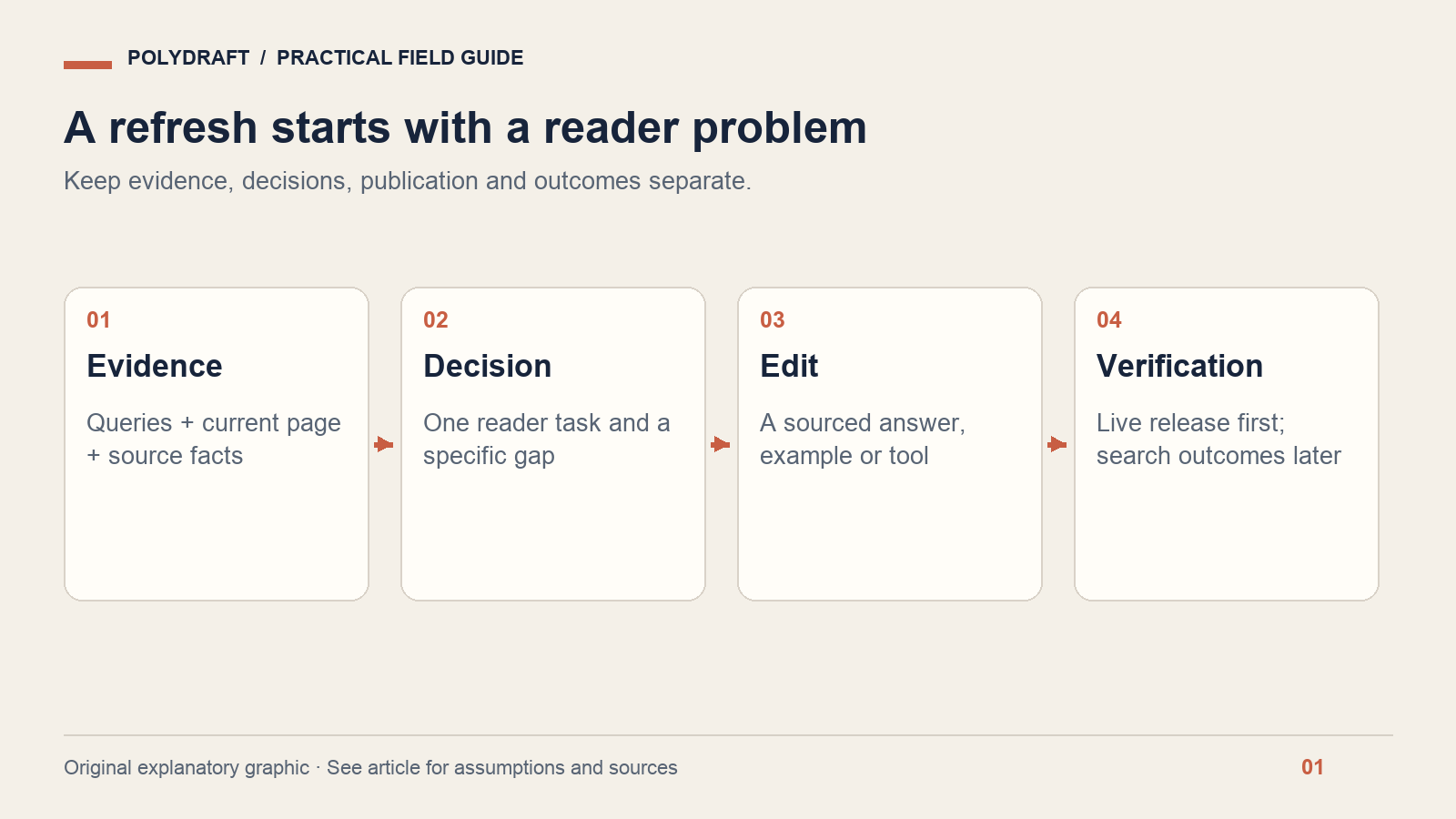
An SEO content refresh workflow turns evidence about an existing page into a specific, reviewable change, then checks whether that change reached the live site and helped readers. Start with one URL and one unresolved task. Export its search queries, diagnose the gap, edit only what the evidence supports, and record the release before measuring performance.
This guide is for marketing operators and small teams maintaining a business website. You will finish with a refresh ticket, a before-and-after evidence record, and a measurement plan. It complements our broader guide to post-launch SEO maintenance by focusing on a single editorial update.
- Choose a page because something useful needs fixing, not because its date looks old.
- Separate a technical access problem from an incomplete answer.
- Keep one primary page for the reader's task.
- Verify publication immediately; evaluate search outcomes over a suitable later window.
Start the SEO content refresh workflow with a baseline
Record the exact page URL, its primary reader task, and the action a satisfied reader should be able to take. For a setup guide, that might be completing a configuration; for a comparison, it might be deciding whether a product fits. A page without a clear purpose is difficult to improve because every new paragraph can look relevant.
In Search Console, filter the Search results performance report to that page. Export queries and record the date range, country, device and search type. Google's performance report documentation explains the available metrics and filters. Save the export before editing; a screenshot of total clicks alone will not tell you which questions the page was answering.
Use the last 28 complete days as a starting observation window if the site has enough activity. That is an editorial working interval, not a Google requirement. For a low-volume page, use a longer period; for a seasonal business, add a comparable seasonal window. Do not mix a partial current day with complete historical days.
Capture the current title, description, headings, important claims and conversion path. Record other releases or campaigns that might change demand. Where possible, preserve the page HTML or a CMS revision so a later reviewer can identify what actually changed.
Diagnose the gap before choosing an edit
A fall in clicks does not identify its own cause. It might reflect fewer searches, different queries, competitors, a changed result layout, indexing trouble, or a less useful page. Start with a diagnosis table and write down what would disprove your first explanation.
| Observation | What to inspect | Possible response |
|---|---|---|
| A formerly visible page receives almost no impressions | Index status, canonical, redirects, robots controls and demand | Resolve technical or demand questions before rewriting |
| Relevant questions appear, but the page never answers them | Query intent and the missing decision or instruction | Add a focused answer, example or troubleshooting section |
| Two pages address the same task | Which URL has the right scope and existing links | Clarify ownership; evaluate consolidation separately |
| The page makes an obsolete product claim | Current product behavior and dated source | Correct it promptly, regardless of search traffic |
Use URL Inspection to investigate the indexed version and a live test when needed. A successful live test and an indexed page are different observations. Neither tells you that an answer is helpful to a buyer.
A fictional example: an export guide
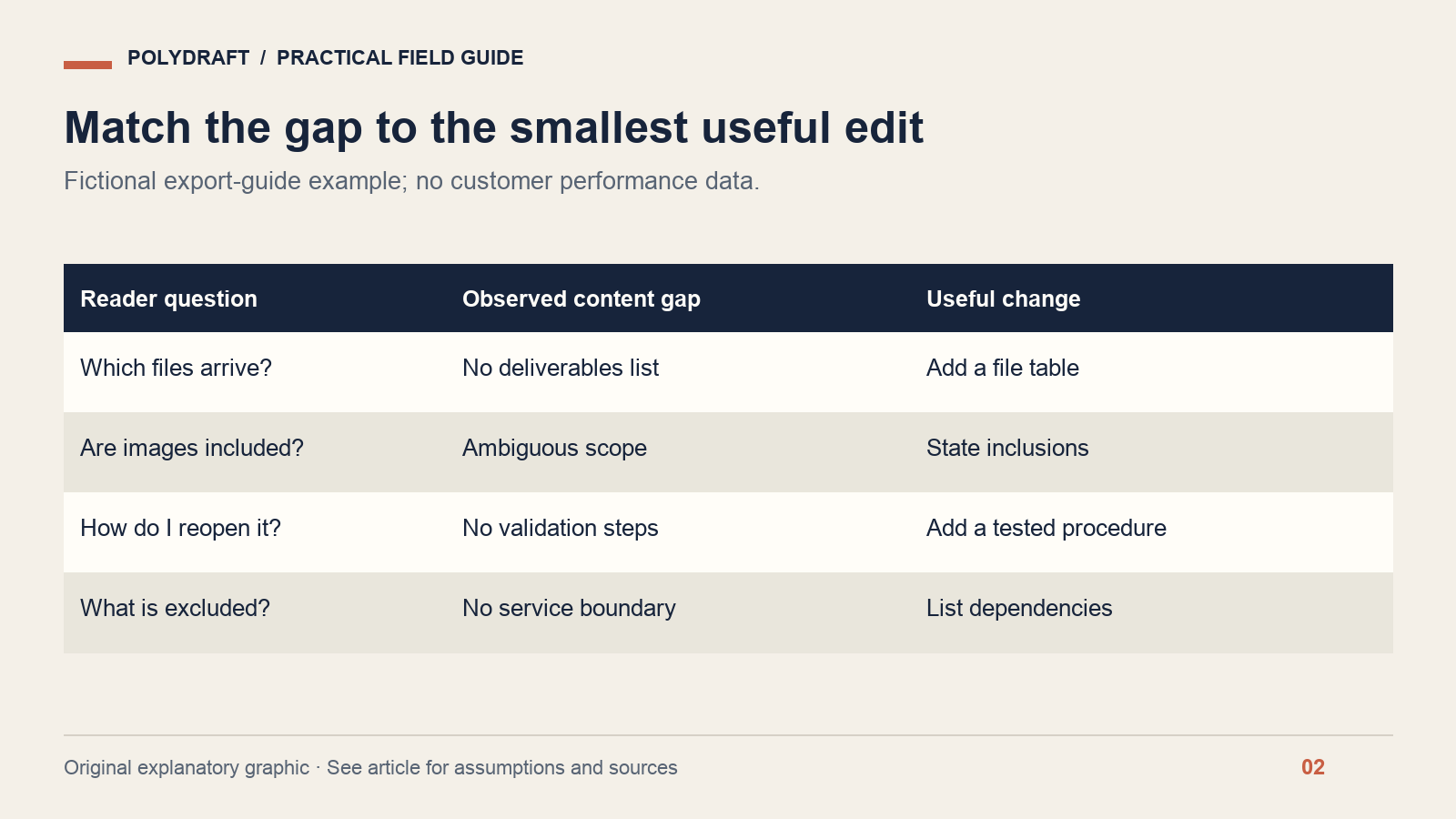
Imagine a guide about exporting a company website. Its introduction explains ownership, but a reader cannot find which files are delivered, whether uploaded images are included, or how to reopen the project. Assume the query export contains related questions. These are invented circumstances for demonstrating the workflow, not a PolyDraft customer result.
The useful edit is a deliverables table and a verification procedure. It is not another generic paragraph about the importance of ownership. Before writing, obtain the actual export contract and test or inspect the supported delivery format. If the evidence is unavailable, state the limitation rather than filling the gap with a plausible feature.
Write a refresh ticket someone else can review
A good ticket connects a reader problem to a small change and a concrete acceptance check. Copy the following structure into your project tracker. Keep observations and hypotheses in separate fields so an assumption does not quietly become a fact during drafting.
Page: [exact canonical URL]
Reader task: [what the person needs to do]
Evidence: [dated query export, support question or source]
Observed gap: [what is missing or wrong on the current page]
Hypothesis: [why the proposed change should help]
Edit: [specific sections, table, example or image]
Claim source: [documentation or approved business evidence]
Acceptance: [what must be visible and work after release]
Reviewer / publisher: [assigned people or roles]
Baseline and follow-up: [filters, dates, metrics]
Rollback: [saved CMS revision or previous content]
For the fictional export guide, acceptance might be: “A reader can identify the delivered files, the excluded services and the first local validation step.” That can be reviewed without waiting for a traffic increase. It also prevents the project from expanding into an unrelated site redesign.
Make the smallest edit that completes the reader's task
Put the direct answer early. Add an example at the point where the reader needs to make a decision. Replace vague claims with a concrete source, and label assumptions in the same paragraph as the example. If a section repeats the introduction without adding a decision, instruction or evidence, remove the repetition.
Google's people-first content guidance favors useful original value and transparent sourcing; changing dates or writing to a supposed preferred word count is not the objective. The former helpful content system became part of Google's core ranking systems in March 2024, as described in its ranking systems guide.
Preserve the existing URL when the page still serves the same task. Changing a slug merely to insert a new phrase creates migration work without resolving the reader's problem. If the intent truly changes, treat URL ownership and redirects as a separate decision with their own checks.
Use visuals to explain the change. A labeled file tree, a decision diagram or a real permissioned screenshot can make a procedure easier to follow. A decorative image cannot stand in for missing instructions. Keep all essential steps in text so the article remains useful with images disabled.
Verify the release before measuring the outcome
Open the public URL without an admin session. Confirm the new text, title, relevant links and image assets. Check the response status and canonical, and ensure a draft-only noindex directive did not survive publication. Record the exact release timestamp and the saved version.
Then check that the page remains discoverable through relevant internal links and the appropriate sitemap. A sitemap entry is a discovery signal, not an indexing receipt. Keep “CMS saved,” “public page updated,” “Google indexed,” and “search performance changed” as separate states in the ticket.
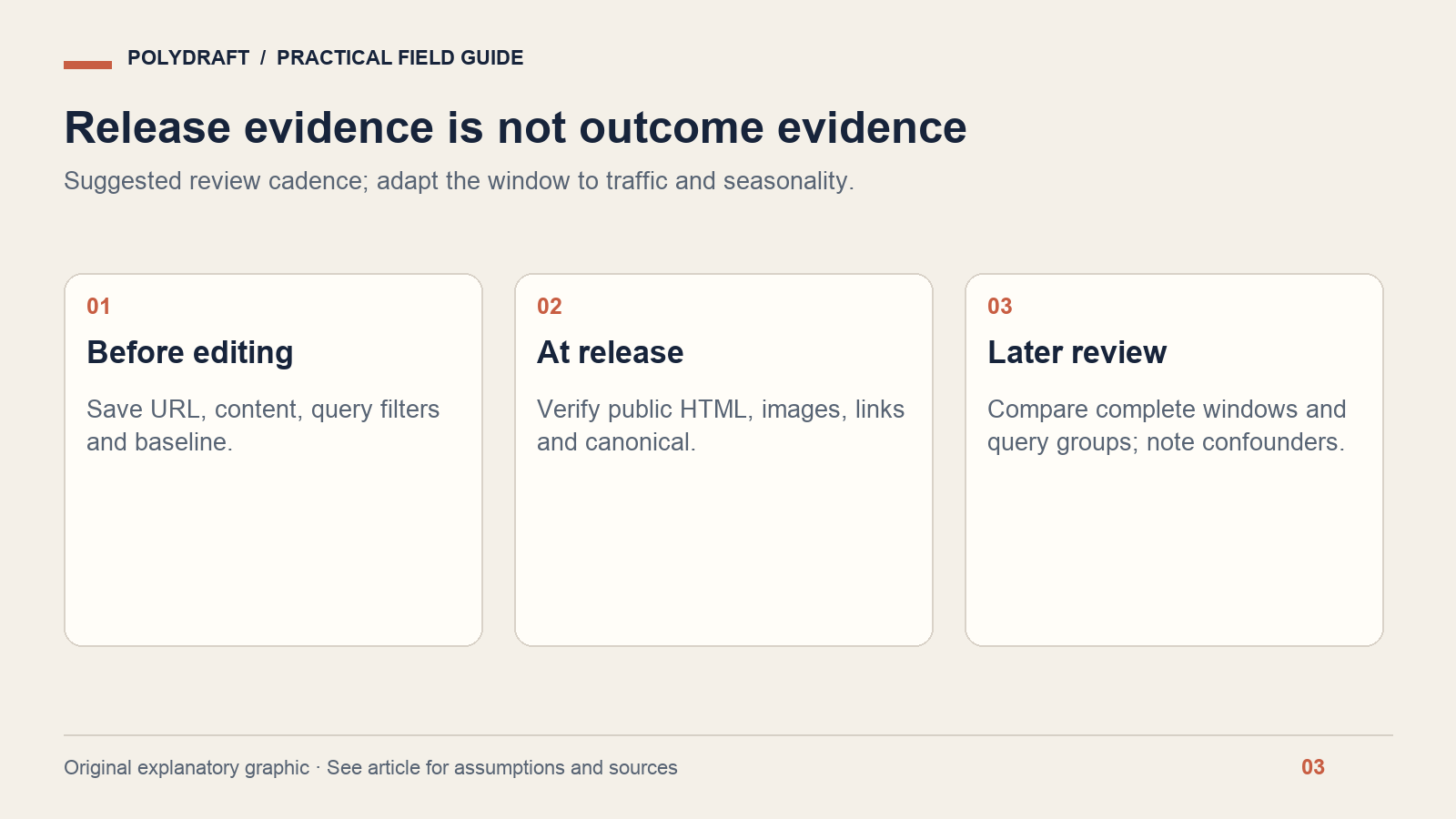
For the later review, compare the same filters and a full post-release window with the baseline. Look at query groups as well as page totals. If new queries expand the page's reach, average position and CTR can change even when existing query performance is stable. Compare business outcomes such as qualified inquiries where your analytics setup can measure them accurately.
A before-and-after improvement is an observation, not proof that your edit caused it. Record other releases, seasonality and major search changes. If the page still fails its task, improve it; if it satisfies the task but traffic is flat, investigate demand and discoverability before adding more text.
Frequently asked questions
How often should I refresh a blog post?
Refresh when facts, product behavior or reader needs change. Use scheduled reviews to find those changes, but do not rewrite an accurate article solely because a calendar interval has passed. A pricing explanation and an evergreen definition can need very different review cadences.
Should I add every Search Console query to the article?
No. Group queries by the underlying task and decide whether the page owns that task. Some queries are incidental, ambiguous or better answered elsewhere. Adding all of them creates an unfocused page and may compete with a more suitable existing URL.
Does a refresh guarantee recovery after a core update?
No. An editorial update can fix identifiable weaknesses, but it cannot guarantee a ranking or recovery timeline. Assess whether the content is more useful and accurate, verify the release, and monitor outcomes without treating one edit as a controlled search experiment.
Put one page through the process
Choose an existing URL, save its baseline, and complete one refresh ticket. For the broader operating model, see PolyDraft's SEO automation overview. The workflow here can be run with your own CMS and Search Console; it does not assume a particular automated integration.
About this article: Prepared with AI assistance for PolyDraft. Technical statements are linked to primary documentation checked on October 8, 2026. Worked examples and diagrams are illustrative, not customer results or live-site audit evidence. The hero is an AI-generated editorial illustration. For corrections, contact PolyDraft with the page URL and supporting source.