Best Website Builder for SEO: 46 Live Sites Measured
What is the best website builder for SEO? We measured 46 live sites on 10 builders for server HTML, tags, sitemaps and speed. See which one fits your site.
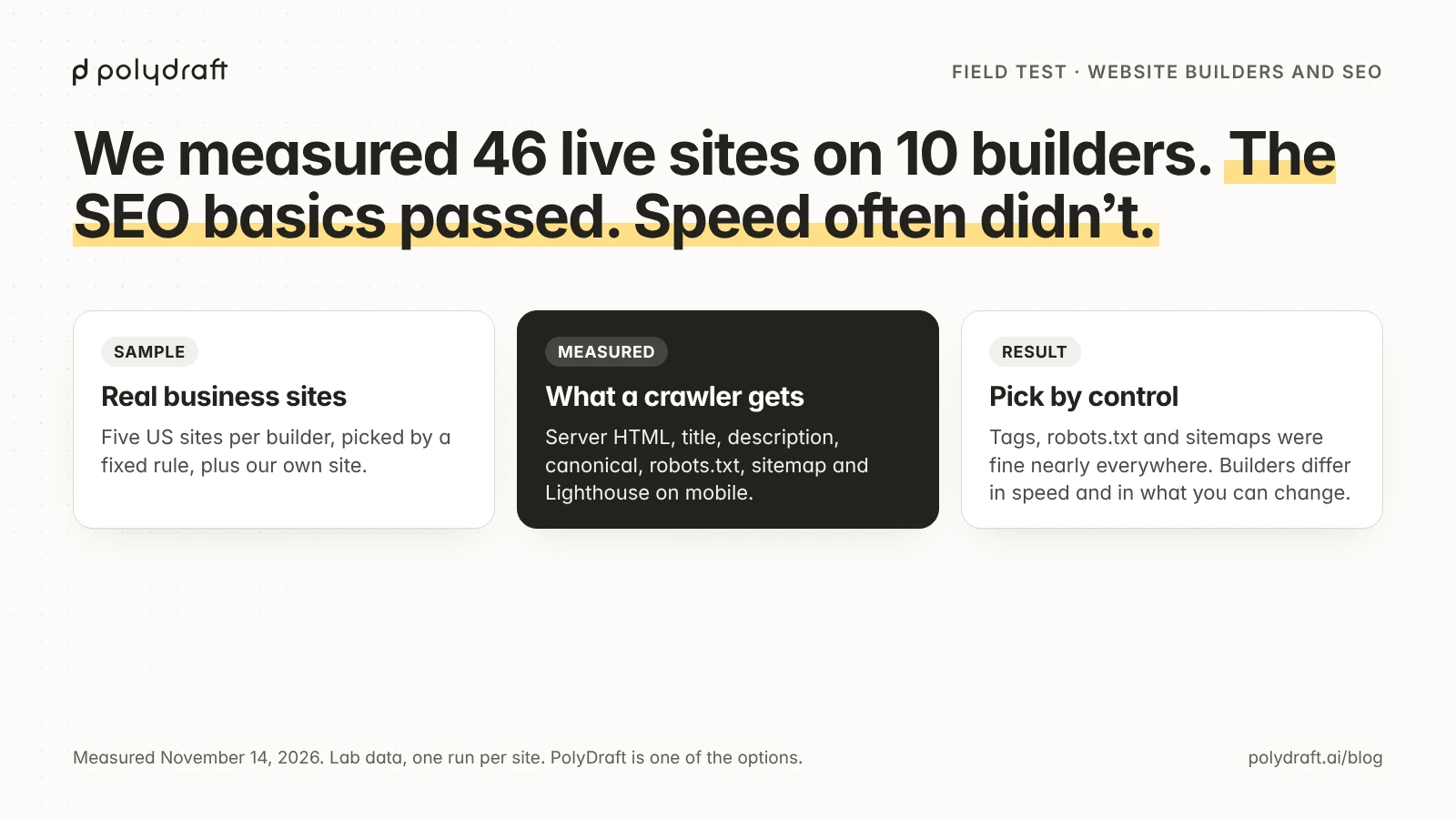
There is no single best website builder for SEO. On November 14, 2026 we checked 46 live sites on 10 builders, and the essentials were in place on all of them: every site had a title tag, HTTPS, and robots.txt, and 44 had a sitemap. The builders differ in speed and in what you can change. By each vendor's documented controls, choose self-hosted WordPress for the most control, Wix for an all-in-one builder, Squarespace for basics handled for you, Webflow for page-level control, and Shopify for a store.
We make PolyDraft, which is one of the ten. It's listed last, it's labelled as ours, and its numbers come from one site (our own), so they aren't comparable to the others and say nothing about customer sites. This article reports measurements of live customer sites and what each vendor documents. We didn't build a site in each editor.
Key points
- The essentials passed almost everywhere. The median Lighthouse SEO score was 92 or 100 for every builder. The gaps we found were canonical tags on WordPress.com home pages and H1 headings on Shopify home pages.
- Text was in the server HTML. On 40 of the 44 sites we could measure, the HTML sent before any JavaScript ran held at least 60% as many words as the finished page.
- Speed was the weak spot. Only 4 of 46 home pages scored 90 or more for mobile performance in Lighthouse, and 18 scored below 50.
- Scores varied a lot inside each builder. The range was 18 to 41 points on most builders and 71 on self-hosted WordPress, where sites scored from 29 to 100.
- Control is the real difference. Redirects, robots.txt, and structured data are editable on some builders, fixed on others, and locked behind a plan on a few.
Best website builder for SEO: results at a glance
Each row summarizes the home pages of five US sites on that builder (one site for PolyDraft). The scores are Lighthouse lab results for a simulated mid-range phone, one run per site.
| Builder | Sites | Performance, median (range) | Lighthouse SEO, median | LCP, median | Page weight, median | Text in server HTML, median | Canonical tag | One H1 |
|---|---|---|---|---|---|---|---|---|
| Wix | 5 | 54 (28–67) | 100 | 6.5 s | 4.9 MB | 93% | 5 of 5 | 5 of 5 |
| WordPress (self-hosted) | 5 | 46 (29–100) | 100 | 14.1 s | 4.0 MB | 100% | 5 of 5 | 5 of 5 |
| Squarespace | 5 | 33 (9–47) | 92 | 12.7 s | 3.8 MB | 97% | 5 of 5 | 2 of 5 |
| Webflow | 5 | 58 (42–77) | 100 | 6.4 s | 4.1 MB | 85% | 3 of 5 | 3 of 5 |
| Shopify | 5 | 40 (29–47) | 92 | 5.8 s | 9.8 MB | 70% | 5 of 5 | 0 of 5 |
| Framer | 5 | 60 (43–84) | 92 | 4.5 s | 5.0 MB | 100% | 5 of 5 | 0 of 5 |
| WordPress.com | 5 | 80 (66–95) | 100 | 4.2 s | 1.9 MB | 99% | 0 of 5 | 3 of 5 |
| GoDaddy | 5 | 75 (67–92) | 92 | 4.1 s | 903 KB | 100% (3 of 5 measured) | 4 of 5 | 4 of 5 |
| Duda | 5 | 67 (47–72) | 92 | 5.5 s | 2.0 MB | 78% | 5 of 5 | 4 of 5 |
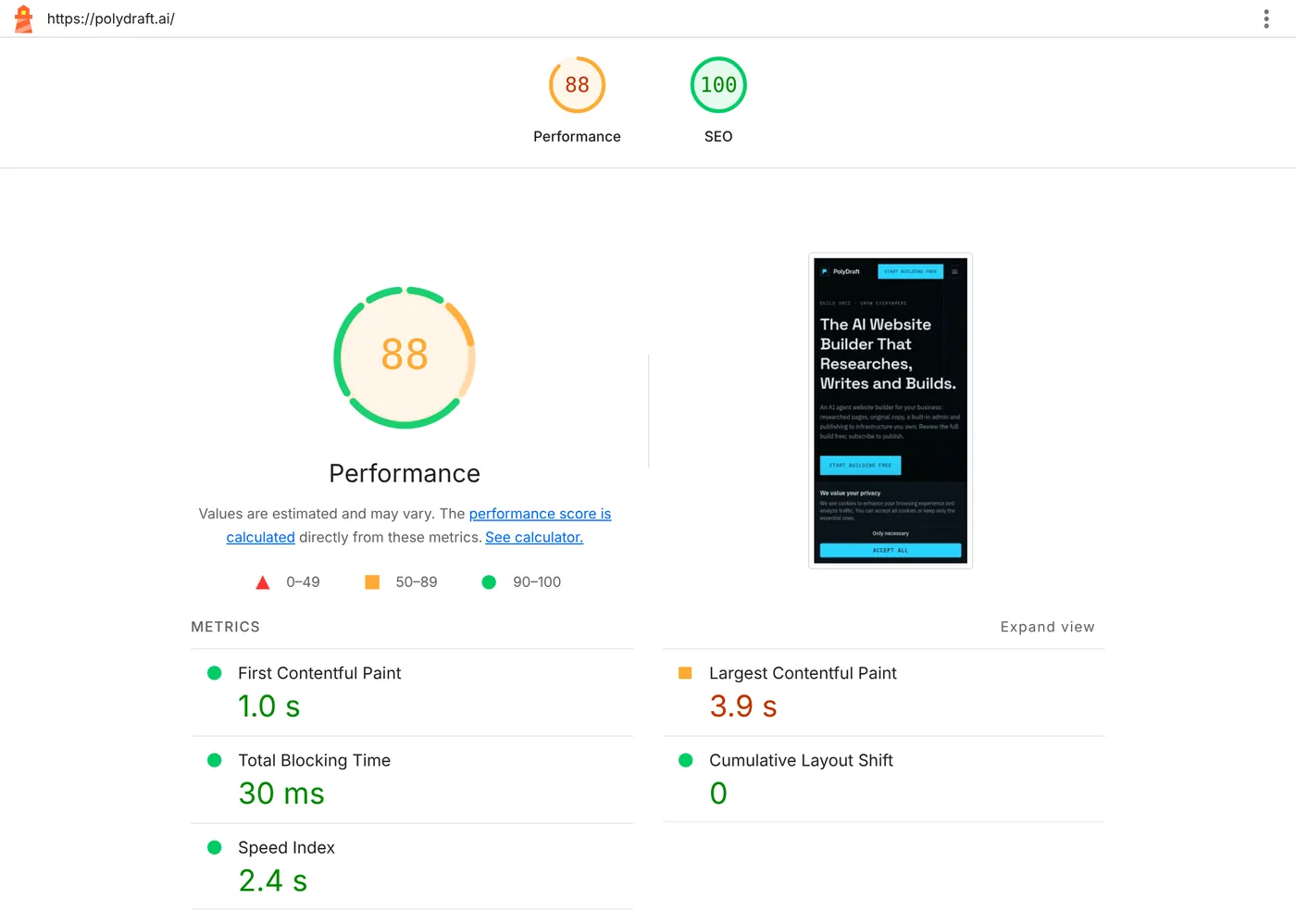
| PolyDraft (ours) | 1 | 88 | 100 | 3.9 s | 437 KB | 100% | 1 of 1 | 1 of 1 |
"Text in server HTML" is the word count of the HTML a crawler receives without running JavaScript, as a share of the rendered page's word count, capped at 100%. It compares two counts; we didn't match the words one by one. Webflow's 85% includes one site that returned no text to that request; without it the median is 92.5%. "LCP" is Largest Contentful Paint, the time until the largest element on screen has loaded. Page weight uses 1 MB = 1,000 KB.
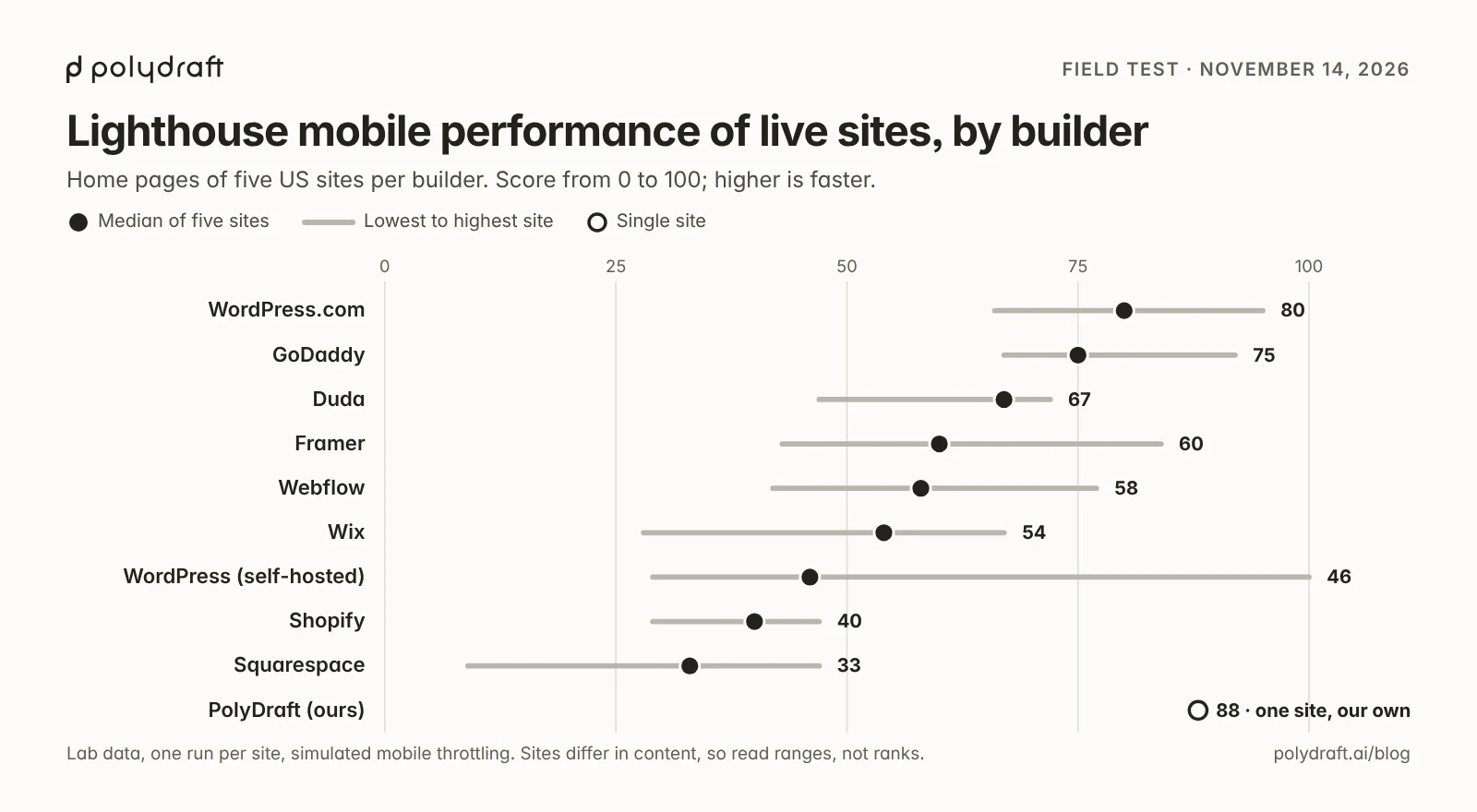
Read the ranges, not the order. Five sites per builder is a small sample, a store's home page carries more than a blog's, and one Lighthouse run can move several points between runs.
How we chose and measured the sites
We wanted sites that real businesses run, chosen by a rule, so that we couldn't pick flattering examples.
- Sample. For each builder we asked DataForSEO's technology index for US, English-language domains detected on that builder, with a DataForSEO domain rank between 151 and 349, most recently crawled first. We took the first five whose home page returned HTTP 200 and where all five checks completed. Sites that were closed or parked were skipped.
- Checks, home page only.
- The HTML without JavaScript: title, meta description, canonical, H1 tags, Open Graph tags, and word count.
- The same page rendered in a browser, for the word count after JavaScript.
/robots.txt./sitemap.xml.- Lighthouse 13.4.0 on mobile settings, performance and SEO categories, one run.
- When. November 14, 2026, between 03:14 and 04:05 UTC.
- PolyDraft. Sites built with PolyDraft aren't in the technology index, so we ran the same checks on polydraft.ai. PolyDraft's agent built that site, and we've run and edited it since, as our build log describes. One site that we control is not a sample.
- Structured data. We tried to record it, but the check we used reported none on all 46 sites, including sites that clearly have it, so we left it out.
What this test can't tell you:
- Rankings. We measured what a crawler receives, not where the sites rank.
- Field speed. Lighthouse is a lab test with simulated throttling. Google's Core Web Vitals use data from real visitors.
- Inner pages. Blog posts and product pages can behave differently from a home page.
- GoDaddy at full strength. Ten GoDaddy candidates failed to load or to finish a check in our tools before we reached five, so the five that completed may be lighter than typical. On the other builders we replaced four sites in total for the same reason.
- Hostinger. The index had no entry for Hostinger's builder, so it isn't in the test.
The full list of sites and their individual results is in the sample table below.
What the test showed
The essential tags were present on every builder
Every one of the 46 home pages had a title tag, Open Graph tags, HTTPS, and a robots.txt file that returned 200. 45 had a meta description. 44 served a sitemap at /sitemap.xml; the other two may publish theirs at a different address.
The median Lighthouse SEO score was 100 for Wix, self-hosted WordPress, Webflow, and WordPress.com, and 92 for the rest. Lighthouse's SEO category checks a short list of basics such as a crawlable page, a title, a description, and valid links. It's a floor, not a measure of how well a site will rank.
Canonical tags and headings were less consistent
The gaps were in canonical tags, which some builders leave to you, and in headings.
- Canonical tags. 38 of 46 home pages had one. All five WordPress.com home pages lacked it. A likely reason is that WordPress core outputs a canonical tag only on single posts and pages; we didn't check WordPress.com's documentation, and the self-hosted sites probably got theirs from an SEO plugin. Two of five Webflow sites lacked it. As of November 4, 2026, Webflow's help center described the canonical as a setting you fill in.
- H1 headings. All five Wix and all five self-hosted WordPress home pages had exactly one H1. None of the five Shopify home pages had an H1 at all. All five Framer home pages had between two and five in the server HTML, where some headings appear more than once.
A missing canonical on a home page or a second H1 won't sink a site. With five sites per builder, we can't tell a builder's default from a site owner's choice, so treat the heading results as observations.
The text was in the HTML, with a few exceptions
Google can render JavaScript, but its own guide says that "server-side or pre-rendering is still a great idea because it makes your website faster for users and crawlers, and not all bots can run JavaScript".
We could compare the two word counts on 44 sites:
- On 31 sites, the server HTML held at least 90% as many words as the rendered page.
- On 40 sites, the server HTML held at least 60% as many.
- Three sites were below 50%: two Shopify stores and one Webflow site. The Webflow site returned no text at all to the non-JavaScript request. We can't tell from outside whether that was bot protection or client-side rendering, so we don't draw a conclusion about Webflow from it. It is still included in Webflow's median.
Framer's server HTML held more words than the rendered page on all five sites. We didn't confirm the cause.
Speed is where sites fall down
Google says to "strive to have LCP occur within the first 2.5 seconds". In our lab runs, 3 of 46 home pages met that, two more missed it by about 0.02 seconds, and 4 scored 90 or more for performance. Eighteen scored below 50.
The lightest pages were the fastest. GoDaddy's median page weighed 903 KB and WordPress.com's 1.9 MB, against 9.8 MB for Shopify, whose sample is mostly stores. Self-hosted WordPress had both the best score in the test (100, on a site using a speed optimization service) and one of the lowest (29).
Two things are true at once. Builders differed: no Squarespace or Shopify site scored as high as the slowest WordPress.com or GoDaddy site. And scores varied widely inside most builders, so the builder alone doesn't determine speed. We didn't test what causes the differences.
What you can control on each builder
This is what each vendor's own documentation says, with the date we read it. "Not checked" means we didn't read that vendor's documentation for this article.
| Builder | Sitemap | robots.txt | Redirects | Custom structured data | Read on |
|---|---|---|---|---|---|
| Wix | Listed in robots.txt | Editable | 301 redirects | JSON-LD | Nov 14, 2026 |
| WordPress (self-hosted) | Core, at /wp-sitemap.xml |
Filter or plugin | Plugin | Plugin | Nov 4, 2026 |
| Squarespace | Automatic | Not checked | 301 and 302 URL mappings | Automatic, not editable | Nov 14 and Nov 4, 2026 |
| Webflow | Automatic | Custom rules | 301, paid plan | Schema field, paid plan | Nov 4, 2026 |
| Shopify | Automatic | Editable through a theme template | Yes, except fixed paths | Included by the theme | Nov 14, 2026 |
| Framer | Automatic | Automatic; replacing it is unclear | Pro plan | JSON-LD through custom code | Nov 4, 2026 |
| WordPress.com | Not checked | Not checked | Not checked | Not checked | — |
| GoDaddy | Not checked | Not checked | Not checked | Not checked | — |
| Duda | Not checked | Not checked | Not checked | Not checked | — |
| PolyDraft (ours) | Included | Fixed presets | None | Page-level JSON-LD | Nov 14, 2026 |
The builders, by what they’re best for
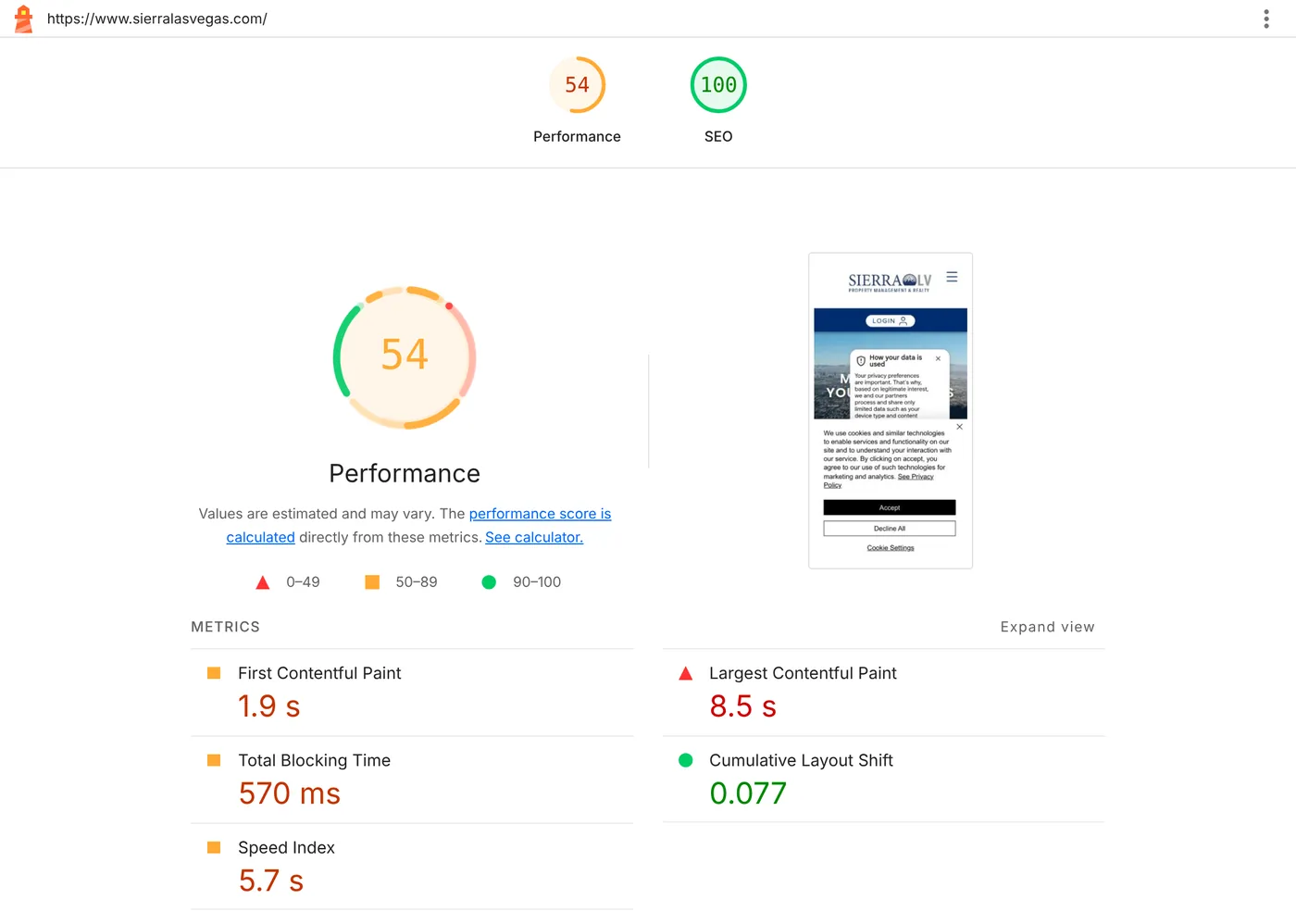
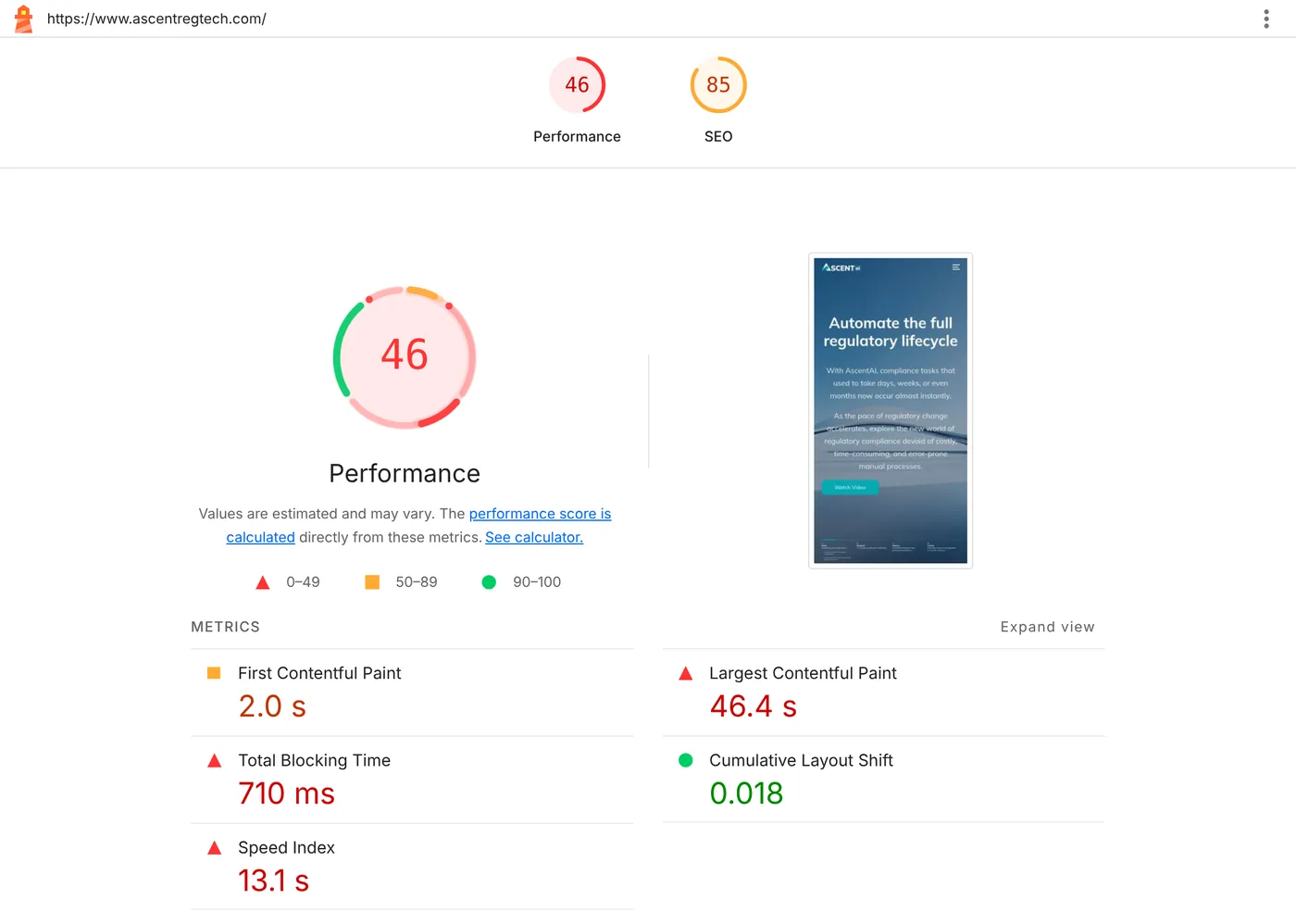
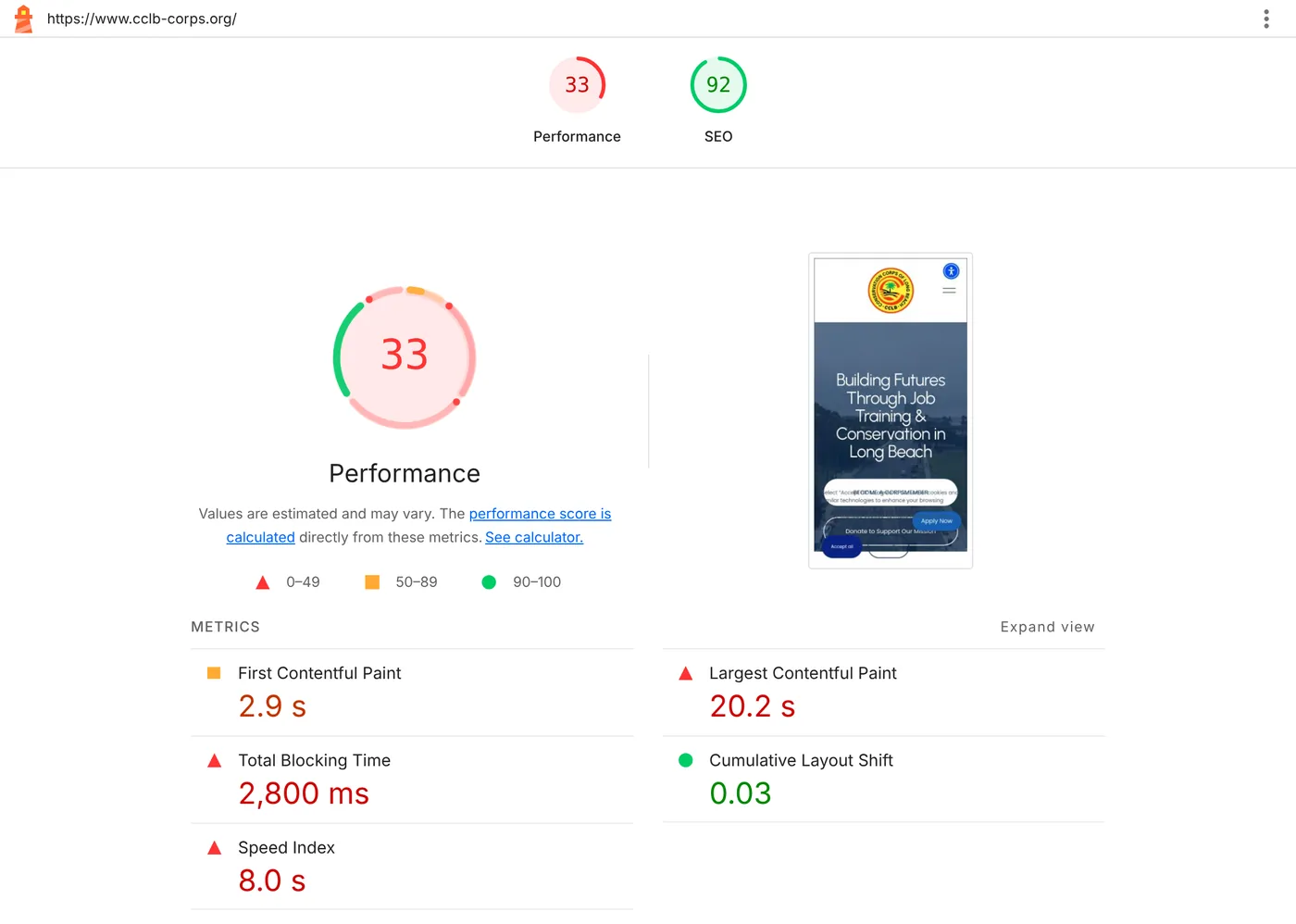
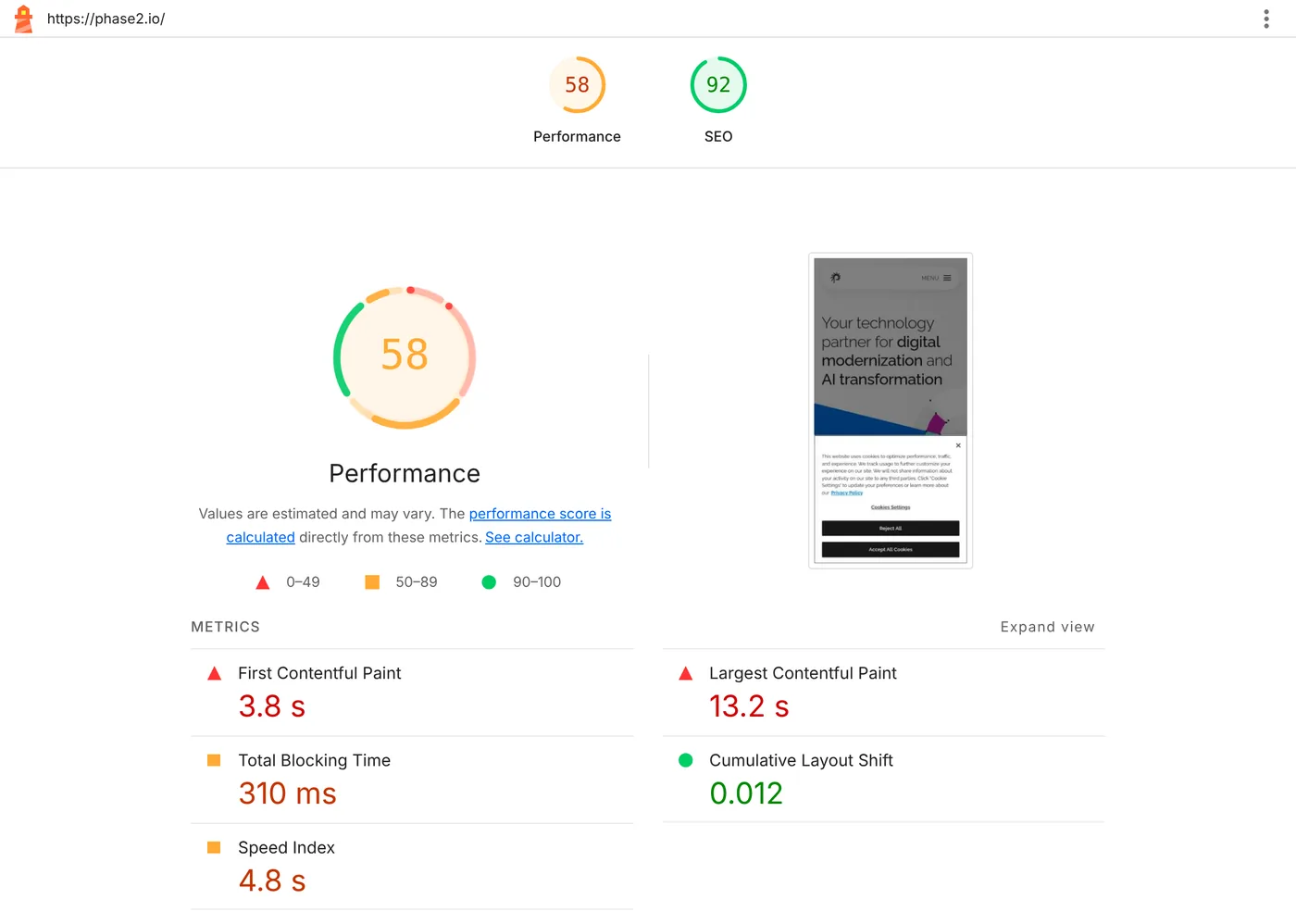
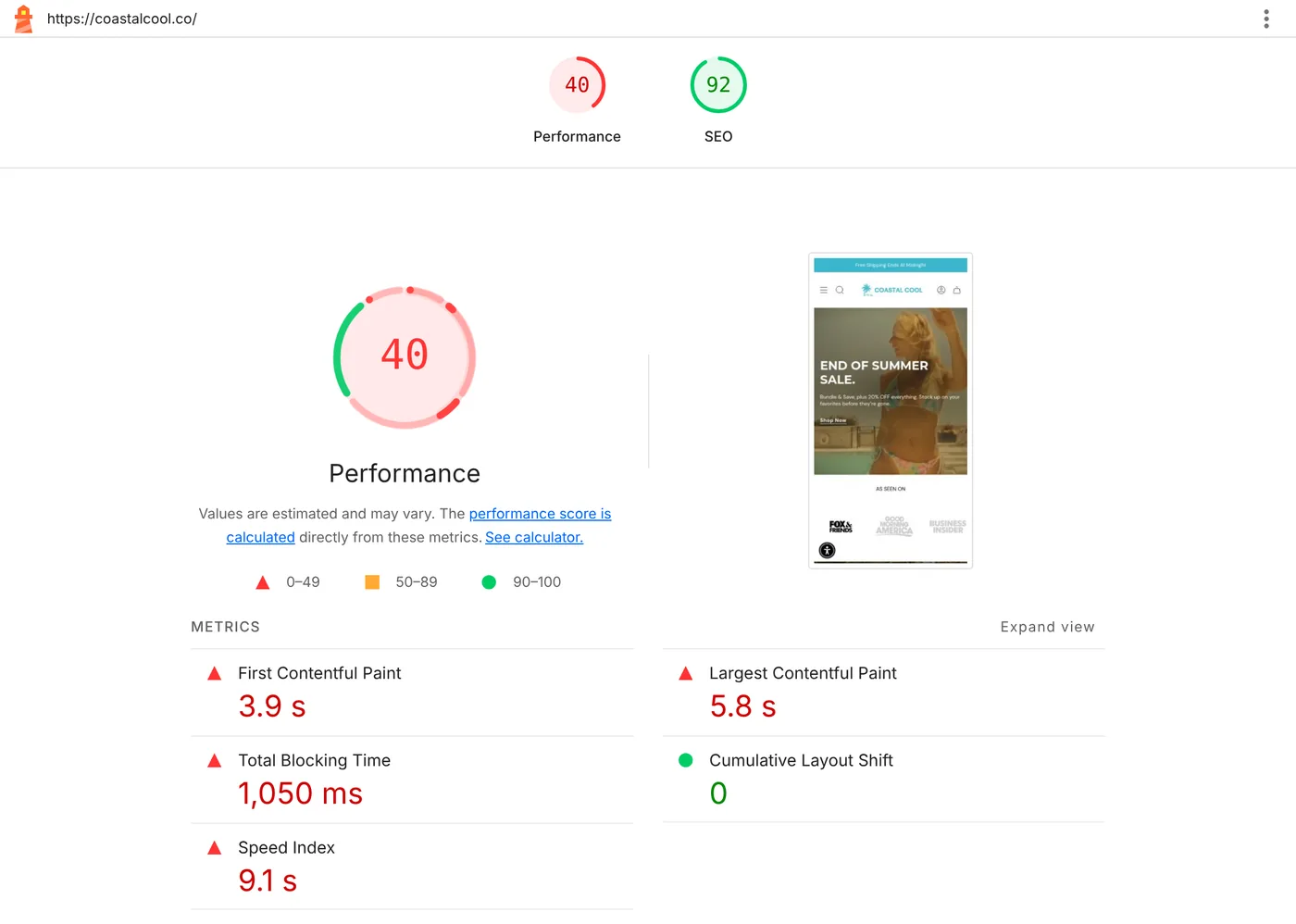
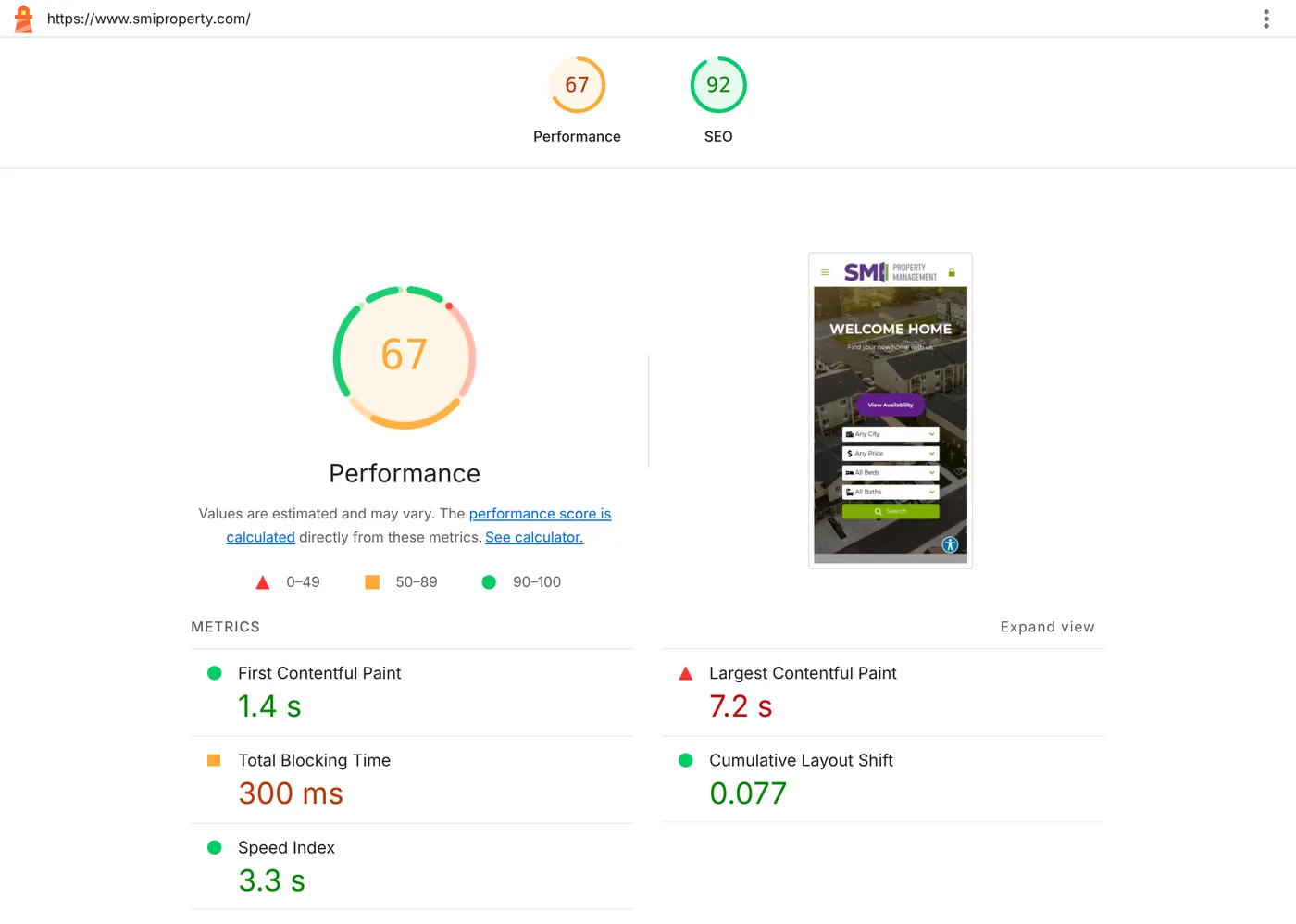
These are not ranked. Each screenshot is the Lighthouse report for the site with the median performance score in that builder's sample.
Wix: best all-in-one builder with advanced SEO settings
Choose Wix if you want hosting, design, and SEO settings in one place and may need the advanced ones later.
- In our test: all five sites had a title, description, canonical, one H1, robots.txt, and sitemap. Median performance was 54, and pages were heavy at a median of 4.9 MB.
- What you can control: Wix lets you edit robots.txt, add custom structured data in JSON-LD, and set up 301 redirects.
- Look elsewhere if: speed on mobile is your priority and you plan a media-heavy site.
For the settings themselves, see our Wix SEO guide.
Self-hosted WordPress: best for maximum control
Choose WordPress if you want to control every tag, redirect, and template, and you have someone to maintain it.
- In our test: all five sites passed every tag check. Performance ran from 29 to 100, the widest range of any builder.
- What you can control: everything, mostly through plugins. As of our November 4, 2026 check, core provides a sitemap at
/wp-sitemap.xml; redirect managers and schema come from plugins such as Yoast SEO. - Look elsewhere if: nobody will handle updates, hosting, and plugin conflicts. Your results depend on that work.
Our Webflow vs WordPress comparison covers the upkeep in detail.
Squarespace: best if you want the basics handled for you
Choose Squarespace if you'd rather not touch technical settings.
- In our test: all five sites had a canonical and a sitemap. Performance was the lowest in the test, with a median of 33 and a median LCP of 12.7 seconds. Only two of five home pages had exactly one H1, and one site had no meta description, the only one in the test.
- What you can control: less. Squarespace creates the sitemap and structured data automatically. As of November 4, 2026, its help center said you can't edit that structured data, and that URL mappings support 301 and 302 redirects. We didn't check whether robots.txt can be edited.
- Look elsewhere if: you need custom schema, or mobile speed matters a lot to you.
If you're already on Squarespace and thinking of leaving, see Squarespace alternatives.
Webflow: best for page-level control without plugins
Choose Webflow if a designer or marketer will manage SEO fields page by page.
- In our test: median performance was 58 and median Lighthouse SEO was 100. Two of five home pages had no canonical tag, and one had no H1.
- What you can control: as of our November 4, 2026 check of Webflow's help center, the sitemap, robots.txt rules, canonical tags, 301 redirects, and a schema field. Redirects need a paid Site plan or paid Workspace, and the schema field needs a paid plan.
- Look elsewhere if: you want defaults that work without filling in settings.
Our Webflow SEO guide lists where each setting lives.
Shopify: best for an online store
Choose Shopify if the site is a store. Judge it against other store platforms, not against brochure sites.
- In our test: home pages were the heaviest (median 9.8 MB) and median performance was 40. None of the five had an H1. On two, the server HTML held less than a third as many words as the rendered page.
- What you can control: Shopify generates the sitemap automatically and lets you edit robots.txt through a theme template. You can't redirect the fixed paths
/productsand/collections. - Look elsewhere if: you don't sell online.
Framer: best for design-led marketing sites
Choose Framer for a marketing site where design and animation matter.
- In our test: on all five sites the server HTML held at least as many words as the rendered page, and all five had a canonical. Median performance was 60. Scripts kept the main thread busy, with a median Total Blocking Time of 1,833 ms, the highest in the test. Every home page had more than one H1 in the server HTML.
- What you can control: Framer adds a sitemap and robots.txt automatically. As of November 4, 2026, redirects were included on the Pro plan, and Framer's help articles disagreed on whether you can replace robots.txt.
- Look elsewhere if: you want lean pages with little script.
See Framer vs Webflow for a fuller comparison.
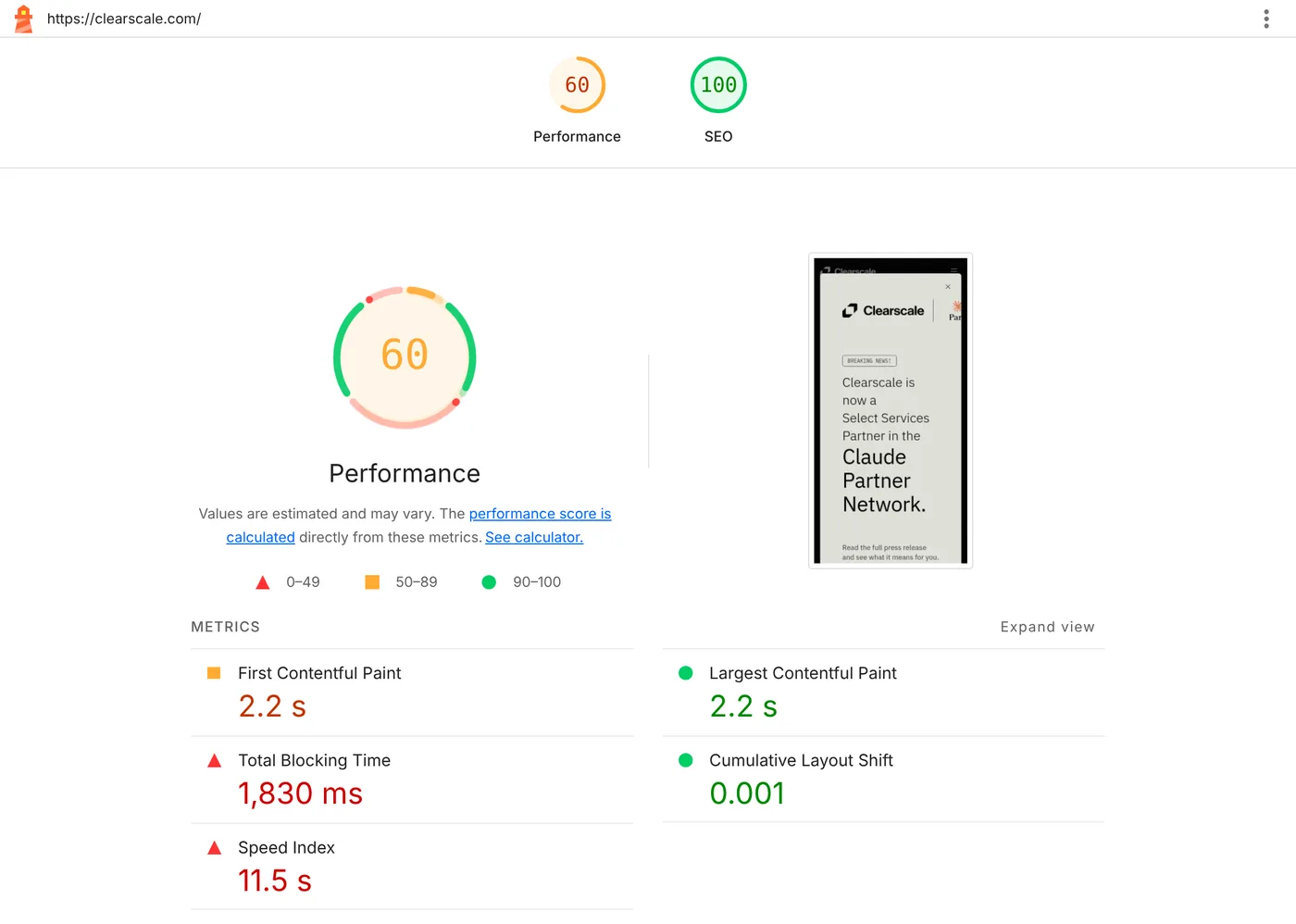
WordPress.com: fastest sample in the test
Choose WordPress.com for a blog or simple site where you want WordPress without running a server.
- In our test: the fastest group, with a median performance of 80 and a median page weight of 1.9 MB. None of the five home pages had a canonical tag. Most of the five were blogs or personal sites, so the comparison with business sites isn't like for like.
- What you can control: we didn't check WordPress.com's documentation for this article.
- Look elsewhere if: you need the full control of self-hosted WordPress. We didn't check which plans allow plugins.
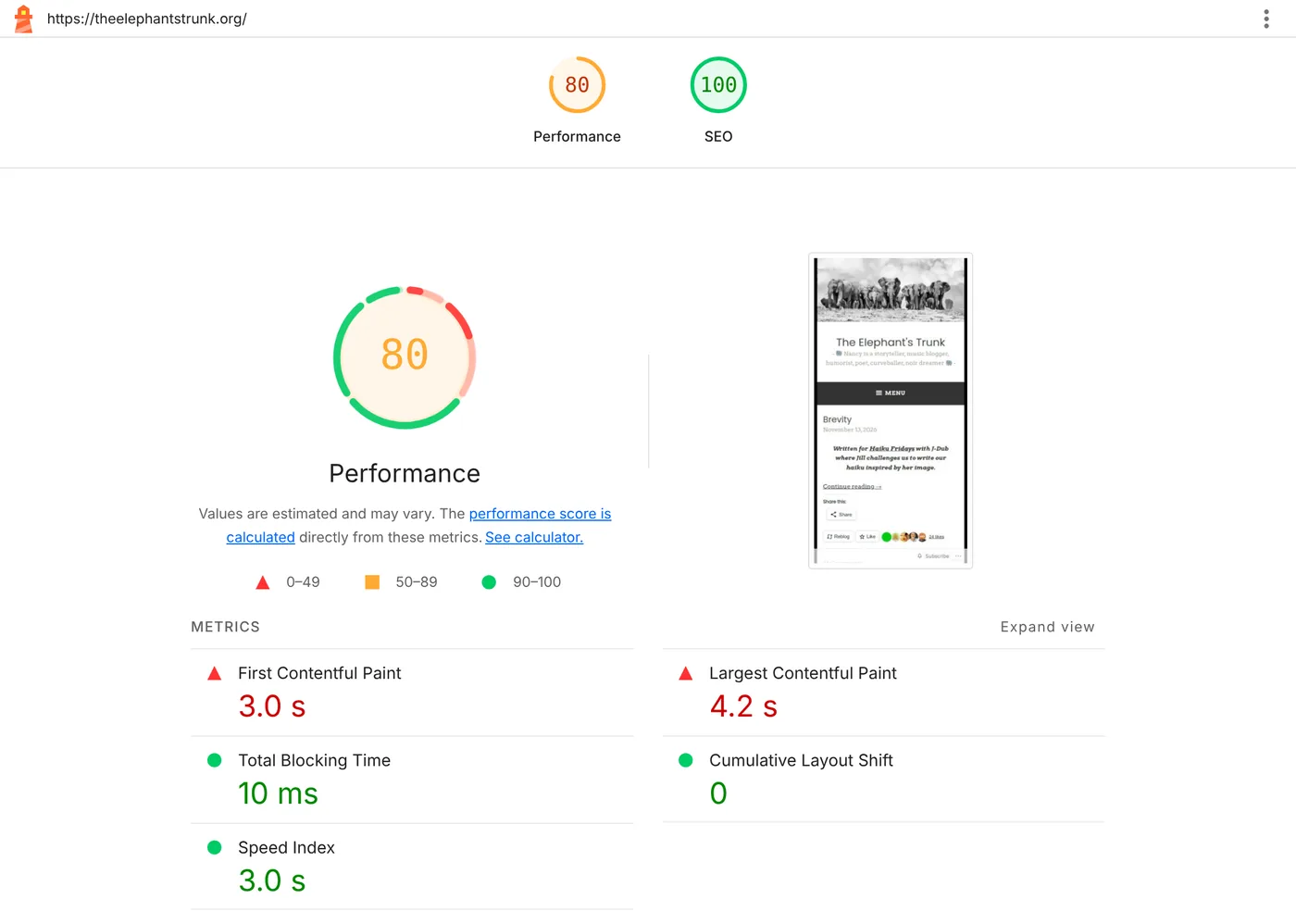
GoDaddy: light pages, with a caveat about the sample
Choose GoDaddy's builder for a small, simple site you want online quickly.
- In our test: the lightest pages (median 903 KB) and a median performance of 75. Four of five had a canonical.
- The caveat: ten GoDaddy candidates failed before we reached five completed sites, so these five may not be typical.
- What you can control: we didn't check GoDaddy's documentation for this article.
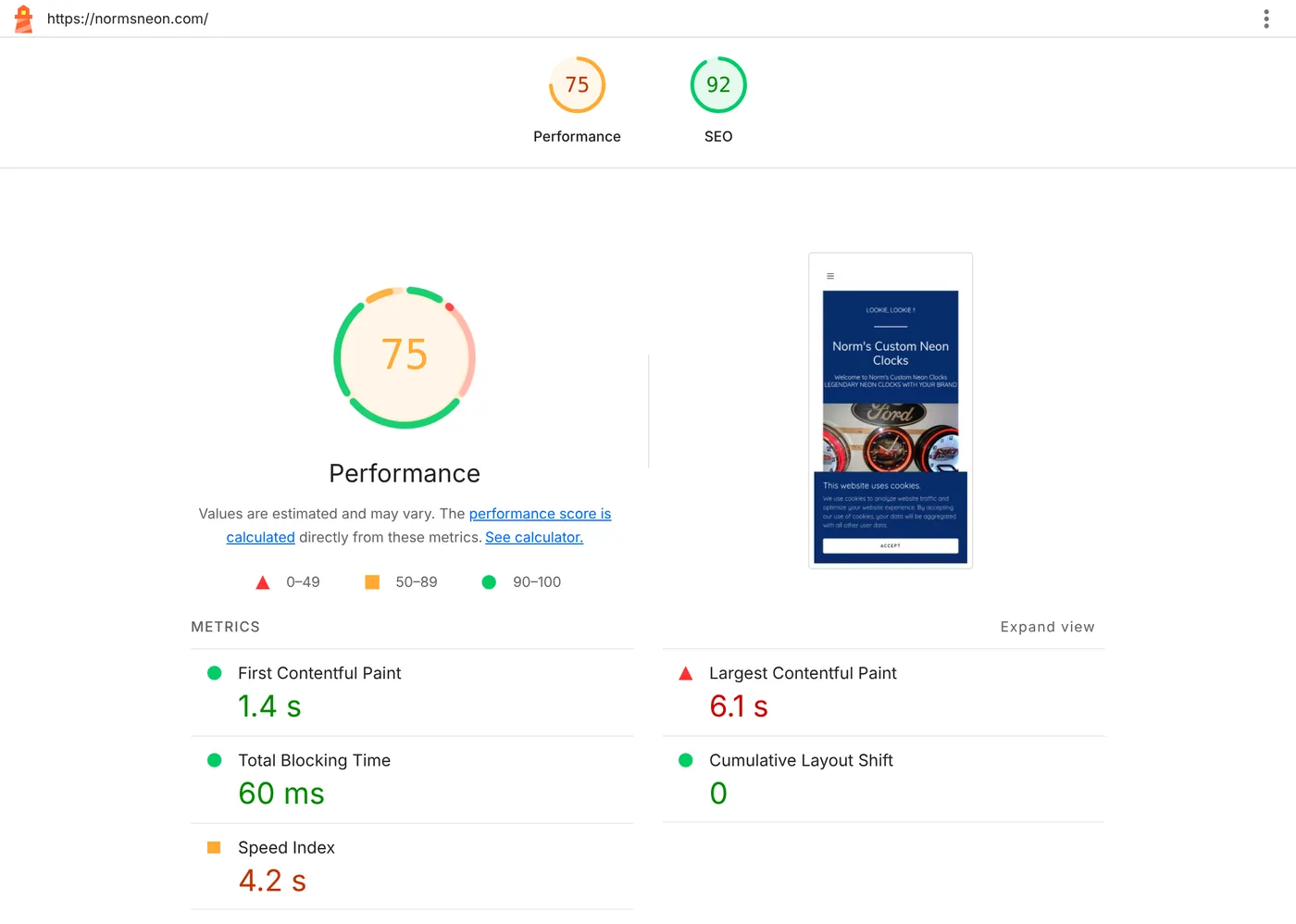
Duda: consistent results in the test
Duda's five sites gave some of the most consistent results in the test.
- In our test: all five had a canonical, robots.txt, and sitemap. Median performance was 67, in a range from 47 to 72. The server HTML held a median of 78% as many words as the rendered page.
- What you can control: we didn't check Duda's documentation for this article.
PolyDraft (our product): business sites published to your own Cloudflare account
PolyDraft is an AI website builder. It researches, writes, and builds a business site, and can publish it to a Cloudflare account you connect.
- In our test: one site, our own. polydraft.ai scored 88 for performance and 100 for SEO, weighed 437 KB, and its server HTML held as many words as the rendered page. Its LCP was 3.9 seconds, which misses Google's 2.5-second mark. We can't show customer sites on the same basis, so these numbers say nothing about a site PolyDraft generates for you.
- What you get: new sites include a canonical tag, Open Graph tags, a sitemap, and robots.txt.
- What you don't get: there's no redirect manager, the robots.txt presets can't be edited, and there's no store. Check that the generated sitemap lists all your pages, and note that the site's default workers.dev address keeps serving it after you connect a custom domain. Access is invite-based. Building and previewing are free, and publishing starts at $39 a month, per PolyDraft's AI website builder pricing, as of November 14, 2026.
- Look elsewhere if: you're moving an existing site with many URLs to redirect, or you sell online.
Details are on the features page.
Which website builder is best for SEO for your situation
These picks combine what each vendor documents with what we measured. It isn't a ranking by score.
| Your situation | Consider | Why |
|---|---|---|
| Local service business, no technical help | Wix, Squarespace | Basics are built in; Wix adds editable robots.txt and custom schema. Squarespace was the slowest group in our test |
| Content-heavy site with someone to maintain it | Self-hosted WordPress | Most control; results depend on upkeep |
| Design or marketing team managing pages | Webflow, Framer | Page-level SEO fields; check redirect and plan limits |
| Online store | Shopify | Store features first; plan for heavy pages |
| Simple blog | WordPress.com | Fastest group in our test and the second lightest |
| Small, simple site where speed comes first | GoDaddy, Duda | Light, fairly fast pages in our test; we didn't check their documentation |
| Business site you want on your own Cloudflare account | PolyDraft (ours) | Published to an account you connect; no redirect manager; measured on our own site only |
If you're considering an AI app builder such as Lovable for a marketing site, read Is Lovable good for SEO? first. Those tools were outside this test.
Check your own site in 10 minutes
You can repeat the main checks on any site, including one you're evaluating as an example of a builder.
- View the source. Open the page, choose View Page Source, and search for a sentence from the middle of the page. If it's there, the text is in the server HTML.
- Find the tags. In the same source, search for
<title>,name="description",rel="canonical", and<h1. You want one of each. - Open
/robots.txtand/sitemap.xml. Both should load. The robots file should not containDisallow: /for all crawlers. To check AI crawlers as well, our GEO audit adds user-agent and raw-HTML tests. - Run Lighthouse. In Chrome, open DevTools, choose Lighthouse, select Mobile, and run Performance and SEO. Run it three times and take the middle result.
- Check real-user data. If the site has enough traffic, PageSpeed Insights shows Core Web Vitals from real visitors, which matter more than the lab score.
Before you sign up for a builder, run these on two or three of its customers' sites, not on the vendor's own home page. Our guide to evaluating an AI website builder has a longer scorecard.
Every site we measured
Scores are single Lighthouse runs on November 14, 2026. They describe a home page on that day, not the business behind it.
| Builder | Site | Performance | SEO | LCP | Text in server HTML | Canonical | /sitemap.xml |
|---|---|---|---|---|---|---|---|
| Wix | optiva.com | 67 | 92 | 6.2 s | 51% | Yes | Found |
| Wix | clouddreamhomes.com | 62 | 100 | 6.3 s | 100% | Yes | Found |
| Wix | sierralasvegas.com | 54 | 100 | 8.5 s | 87% | Yes | Found |
| Wix | keypm.com | 40 | 100 | 6.5 s | 100% | Yes | Found |
| Wix | pinetimeproperties.com | 28 | 100 | 8.9 s | 93% | Yes | Found |
| WordPress (self-hosted) | sapiosciences.com | 100 | 100 | 1.2 s | 100% | Yes | Found |
| WordPress (self-hosted) | elmwoodreclaimedtimber.com | 51 | 92 | 12.7 s | 100% | Yes | Found |
| WordPress (self-hosted) | ascentregtech.com | 46 | 85 | 46.4 s | 100% | Yes | Found |
| WordPress (self-hosted) | escrowtech.com | 42 | 100 | 14.1 s | 99% | Yes | Found |
| WordPress (self-hosted) | primelandscaping.com | 29 | 100 | 19.7 s | 100% | Yes | Found |
| Squarespace | safeplaceforyouth.org | 47 | 85 | 11.7 s | 97% | Yes | Found |
| Squarespace | snlfinefoods.com | 47 | 92 | 12.7 s | 100% | Yes | Found |
| Squarespace | cclb-corps.org | 33 | 92 | 20.2 s | 80% | Yes | Found |
| Squarespace | sichamber.com | 28 | 92 | 16.0 s | 97% | Yes | Found |
| Squarespace | bytemark.co | 9 | 100 | 11.6 s | 95% | Yes | Found |
| Webflow | hammes.com | 77 | 100 | 5.0 s | 85% | No | Found |
| Webflow | innovatepasadena.org | 64 | 100 | 6.4 s | 100% | No | Not at this path |
| Webflow | phase2.io | 58 | 92 | 13.2 s | 0% | Yes | Found |
| Webflow | icounter.com | 51 | 100 | 4.8 s | 100% | Yes | Found |
| Webflow | payshepherd.com | 42 | 92 | 8.8 s | 78% | Yes | Found |
| Shopify | globalsouthworld.com | 47 | 92 | 4.8 s | 70% | Yes | Not at this path |
| Shopify | skoonskin.com | 44 | 85 | 4.4 s | 17% | Yes | Found |
| Shopify | coastalcool.co | 40 | 92 | 5.8 s | 99% | Yes | Found |
| Shopify | dadgang.co | 33 | 92 | 5.8 s | 98% | Yes | Found |
| Shopify | seniqbrand.com | 29 | 85 | 20.3 s | 30% | Yes | Found |
| Framer | moodhealth.com | 84 | 69 | 4.5 s | 100% | Yes | Found |
| Framer | plane.com | 65 | 100 | 1.3 s | 100% | Yes | Found |
| Framer | clearscale.com | 60 | 100 | 2.2 s | 100% | Yes | Found |
| Framer | trendhijacking.com | 50 | 85 | 8.1 s | 100% | Yes | Found |
| Framer | rfhomebuyers.com | 43 | 92 | 7.4 s | 100% | Yes | Found |
| WordPress.com | religioninpublic.blog | 95 | 92 | 2.7 s | 98% | No | Found |
| WordPress.com | moonbridgebooks.com | 93 | 100 | 2.5 s | 99% | No | Found |
| WordPress.com | theelephantstrunk.org | 80 | 100 | 4.2 s | 100% | No | Found |
| WordPress.com | judygarlandnews.com | 67 | 100 | 11.2 s | 94% | No | Found |
| WordPress.com | kerryhishon.com | 66 | 100 | 6.8 s | 100% | No | Found |
| GoDaddy | syfysistas.com | 92 | 92 | 2.7 s | not measured | No | Found |
| GoDaddy | fishhouse.com | 85 | 100 | 3.6 s | 100% | Yes | Found |
| GoDaddy | normsneon.com | 75 | 92 | 6.1 s | 100% | Yes | Found |
| GoDaddy | elcinotaqueria.com | 70 | 92 | 8.0 s | 100% | Yes | Found |
| GoDaddy | oncologyandkids.org | 67 | 85 | 4.1 s | not measured | Yes | Found |
| Duda | henriesheatingandair.com | 72 | 85 | 3.2 s | 65% | Yes | Found |
| Duda | resnexus.us | 71 | 100 | 2.5 s | 78% | Yes | Found |
| Duda | smiproperty.com | 67 | 92 | 7.2 s | 76% | Yes | Found |
| Duda | onealkalinelife.com | 56 | 100 | 8.6 s | 91% | Yes | Found |
| Duda | liveamc.com | 47 | 92 | 5.5 s | 85% | Yes | Found |
| PolyDraft (ours) | polydraft.ai | 88 | 100 | 3.9 s | 100% | Yes | Found |
Frequently asked questions
What is the best website builder for SEO?
No builder is best for every site. In our test of 46 live sites, the essentials were in place on every builder. Self-hosted WordPress gives the most control, Wix is the strongest all-in-one option for advanced settings, Squarespace handles the basics automatically, Webflow suits teams managing pages by hand, and Shopify is for stores.
Is Wix or WordPress better for SEO?
Both passed every tag check on all five sites in our test. WordPress gives you more control through plugins, and its results varied most, from 29 to 100 for performance. Wix needs less upkeep and lets you edit robots.txt, structured data, and redirects. Choose by who will maintain the site.
Are website builders bad for SEO?
Not by default. The median Lighthouse SEO score was 92 or 100 on every builder we measured, and most sites served their text in the server HTML. The common weakness was speed: 18 of 46 home pages scored below 50 for mobile performance.
Does page speed affect SEO rankings?
It can. Google says Core Web Vitals align with what its ranking systems seek to reward, and recommends a Largest Contentful Paint within 2.5 seconds. Speed is one factor among many, so treat a slow page as something to fix, not as the whole explanation for a ranking.
What is the best CMS for SEO?
If you want a content management system instead of a hosted builder, self-hosted WordPress offers the most SEO control, because plugins can change almost every tag and template. That control costs maintenance. A hosted builder trades some control for less upkeep.
Which website builder is fastest?
In our sample, WordPress.com sites had the highest median mobile performance score (80), followed by GoDaddy (75) and Duda (67). Most of the WordPress.com sites were blogs or personal sites, so the comparison isn't like for like.
Continue with the next task
- Already on Wix or Webflow? Go through the settings in the Wix SEO guide or the Webflow SEO guide.
- Moving to a new builder? Use the website migration SEO checklist before you switch.
- Need a robots.txt file to compare against yours? Try the robots.txt generator.
About this article. Vincent Chen planned the test and reviewed the results and the text. The measurements were collected with DataForSEO's on-page and Lighthouse APIs on November 14, 2026, and the article was drafted with AI assistance from those results and from the vendor documentation listed below. We make PolyDraft, one of the ten builders covered.
Sources
- Google Search Central: Understand JavaScript SEO basics
- Google Search Central: Understanding Core Web Vitals and Google search results
- Wix Help Center: Editing your site's robots.txt file, Adding structured data markup, Setting up 301 redirects
- Squarespace Help Center: What Squarespace does for SEO
- Webflow Help Center: Set canonical tags, Set up redirects
- Shopify Help Center: Finding and submitting your sitemap, Editing robots.txt, URL redirects
- Framer Help: Guide to SEO features and tools, How to set up redirects
- WordPress: rel_canonical(), XML sitemaps in WordPress 5.5, Yoast SEO plugin